
Introduction: The New Era of AI-Powered Design in Canva
The world of digital design has changed dramatically in the last three years. With every passing month, AI tools are becoming smarter, faster, and more creative than ever before. But among all AI design platforms, Canva AI has emerged as one of the most powerful, user-friendly, and widely adopted tools in the world — especially after the release of its latest 2025 update.
If you’re a content creator, business owner, student, digital marketer, or social media influencer, you’ve probably already used Canva. But the new Canva AI Update 2025 is not just an upgrade — it’s a complete transformation of how people design.
This latest version brings new AI-driven features, upgraded Magic Studio capabilities, improved content generation accuracy, and deeper integrations for branding, team collaboration, and automation.
But with great power comes great responsibility.
This update also brings several ethical concerns, including:
- Data privacy issues
- Algorithmic bias
- Intellectual property confusion
- Accuracy risks
- Potential job displacement in design fields
In this four-part series, we’ll explore everything — from how Canva AI works to why it matters, what’s new, and the hidden ethical angles nobody is talking about.
Let’s begin.
Section 1: What Exactly Is Canva AI? (2025)
Canva AI is Canva’s intelligent design system that uses advanced machine learning models to help users create visuals faster, easier, and more efficiently. It’s a combination of:
- Magic Design
- Magic Write
- Magic Switch
- Magic Expand
- Magic Animate
- Magic Replace
- AI Brand Kit Generator
- AI Video & Audio Editor
- AI Image Creator (Text-to-Image)
- AI Presentation Builder
And in the 2025 version, Canva AI becomes even more futuristic with:
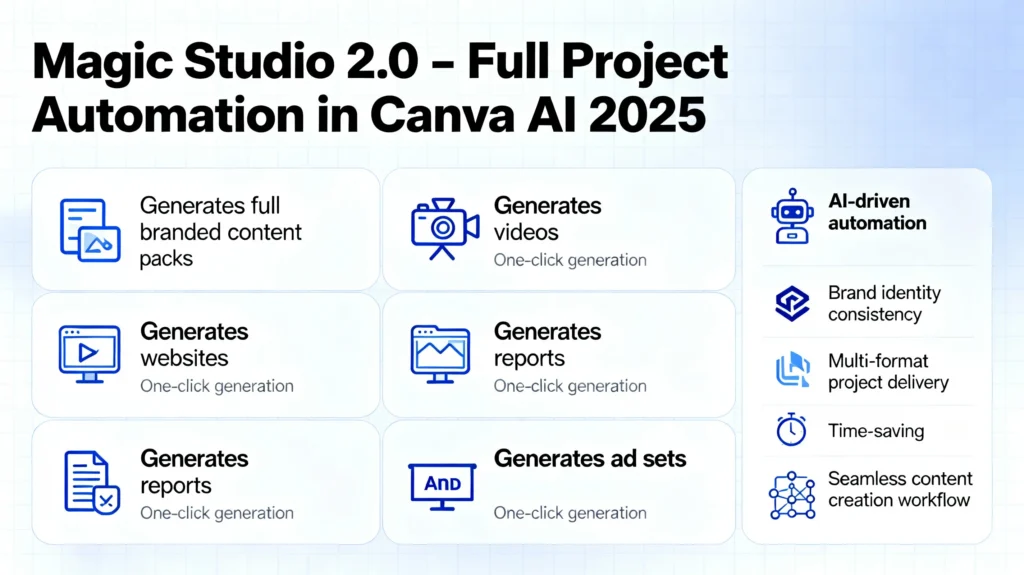
1. Canva Magic Studio 2.0
A completely redesigned system capable of generating full branded content packs, videos, websites, reports, and ad sets — in a single click.
2. Canva AI Multimodal Engine
This new engine understands:
- images
- text
- voice
- brand patterns
- layouts
- color logic
- even emotional tone
allowing Canva to automatically produce designs that match your brand identity, mood, or target audience.
3. Canva AI Knowledge Graph
This allows Canva to understand context behind your project:
For example, if you’re making a fitness website, it suggests:
- modern fitness colours
- sporty fonts
- motivational text
- energetic animations
- trending design patterns
4. Magic Branding System
Now Canva AI can generate:
- logos
- brand identity
- complete templates
- product photos
- ad banners
- flyers
- intro/outro videos
- brand website mockups
all based on one sentence prompt.
5. Canva AI Collaborative Mode
Teams can now use Canva like Google Docs — live editing, AI summarizing, instant translation, and AI who suggests improvements real-time.
Section 2: What’s New in Canva AI Latest Update (2025)?
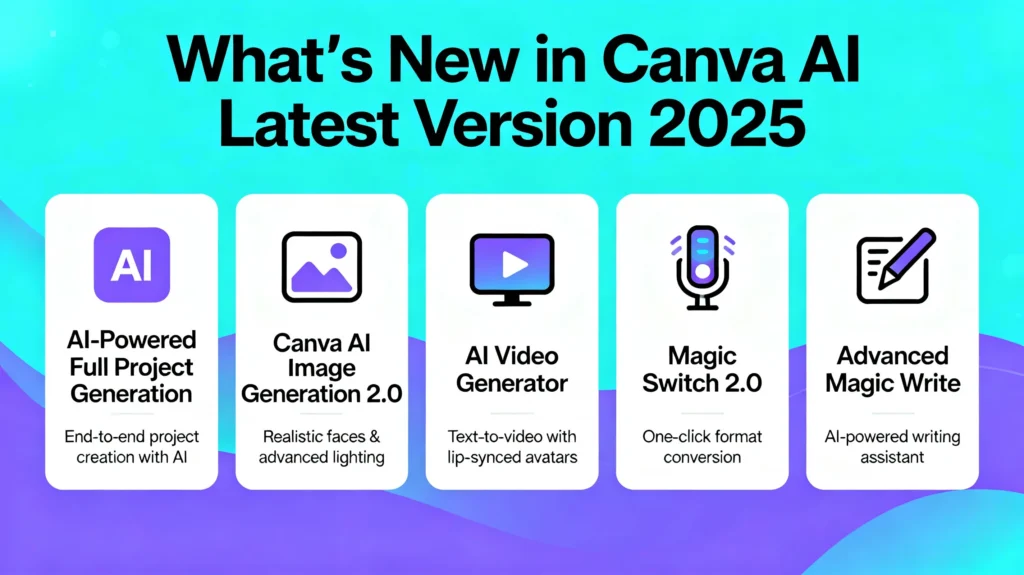
The new version released in 2025 brings several groundbreaking improvements. These are the most important:
🔵 1. AI-Powered Full Project Generation
Earlier, Canva AI generated single designs.
Now it can create entire projects like:
- full marketing campaigns
- 20-slide presentations
- 5-format social media pack
- YouTube branding kit
- portfolio websites
- sales brochures
- ebooks and guides
This saves creators HOURS of time.
🟣 2. Canva AI Image Generation 2.0
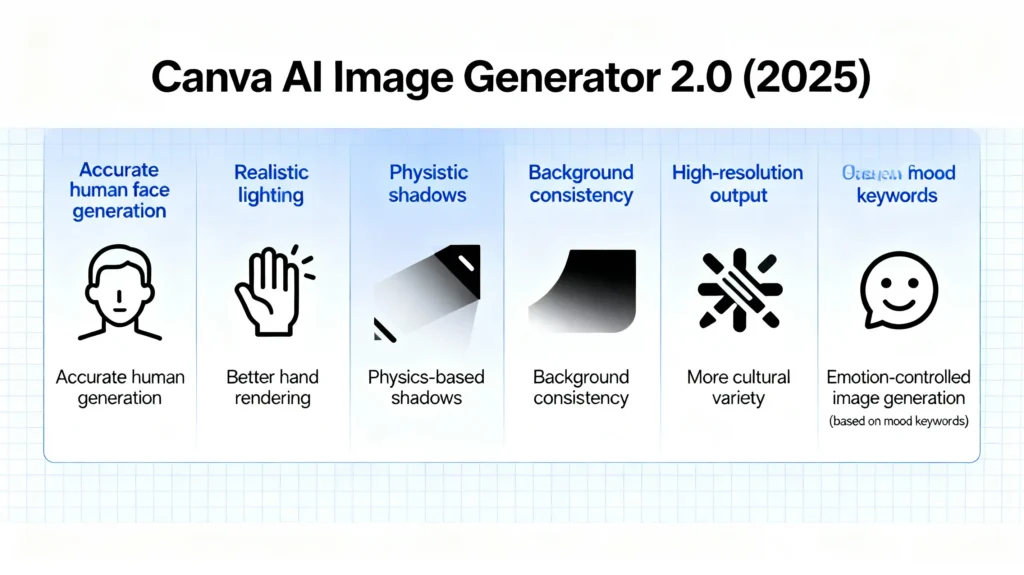
The new AI image generator includes:
- accurate human faces
- better hand rendering
- realistic lighting
- physics-based shadows
- background consistency
- high-resolution output
- more cultural variety
Plus—new emotion controls allow generating images based on specific mood keywords.
🟢 3. AI Video Generator 2025
Canva AI can now convert:
✔ text → video
✔ images → animated scenes
✔ brand kit → motion graphics
It includes:
- auto-voiceover
- AI-generated scripts
- scene matching
- smooth transitions
- lip-synced avatar narration
- 16:9, 9:16, 1:1 auto-adjust
This moves Canva into direct competition with tools like RunwayML, Pika Labs, and InVideo AI.
🟡 4. Magic Switch 2.0 — Total Format Conversion
Magic Switch can now:
- turn blogs into podcasts
- turn articles into videos
- convert designs into slides
- turn scripts into reels
- translate designs to 100+ languages
- repurpose content into 12 formats
Great for content creators and agencies.
🟠 5. Advanced Magic Write (AI Writing)
Magic Write has been rebuilt with:
- deeper NLP understanding
- tone controls
- SEO optimization
- structure-based content generation
- CTA enhancement suggestions
This makes Canva both a copywriting + design tool in one platform.
🔴 6. AI Brand Voice Training
You can now upload:
- blogs
- website text
- emails
- brand scripts
and Canva AI learns your brand tone and writes/designs accordingly.
🟤 7. AI Presentation Builder 2.0
Instead of “basic slides”, it now creates:
- structured presentations
- accurate talking points
- data charts
- animated infographics
- brand-styled visuals
with AI-driven storytelling flow.
Section 3: Ethical Implications of Canva AI (2025)
Now comes the most important part.
With every new capability, AI raises new risks and ethical debates.
1. Data Privacy Risks
The biggest concern:
What happens to the data you upload?
Canva AI collects:
- images
- text
- brand content
- voiceovers
- designs
- user behavior
- prompts
This raises concerns:
❌ Training on user data
Your designs might be indirectly used to train future Canva models.
❌ Ownership confusion
If AI produces your brand kit, who owns the rights?
❌ Personal data in prompts
Users sometimes enter private names, numbers, or sensitive info.
❌ Image upload risks
Users upload photos with:
- faces
- locations
- IDs in background
- personal documents
Without strict privacy filters, the data can leak or be misused.
2. Algorithmic Bias
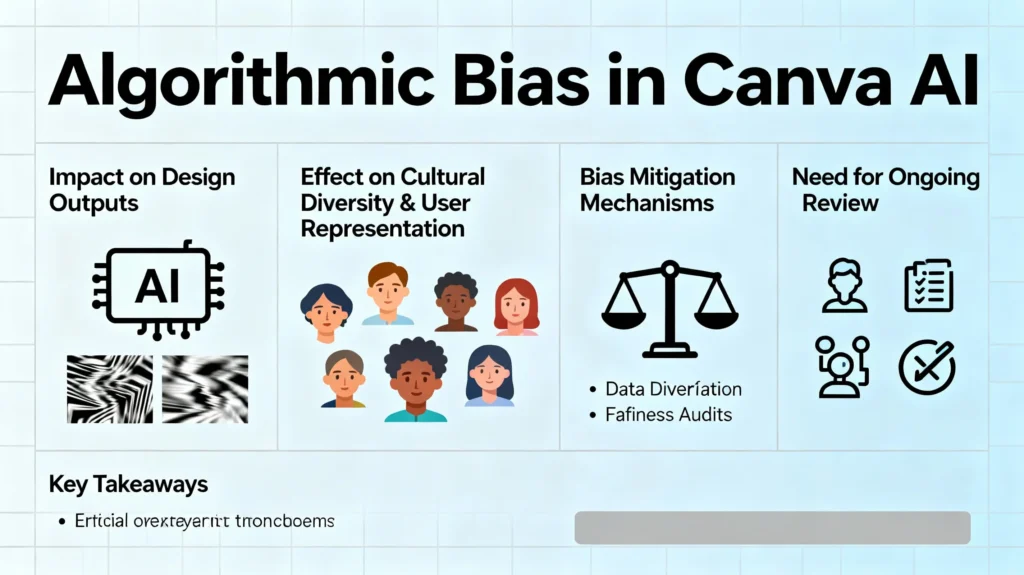
AI bias is a huge problem across all industries — and Canva is no exception.
Examples include:
- Limited cultural diversity in images
- Stereotypical gender presentation
- Underrepresentation of minorities
- Western-centric color palettes
- Unrealistic beauty standards
Even with improvements, AI bias cannot be eliminated entirely.
3. Job Displacement Concerns
Canva AI automates tasks that designers used to be paid for.
Jobs at risk:
🎯 Beginner Designers
Clients may prefer faster, cheaper AI designs.
🎯 Freelance Social Media Creators
Templates + AI posts = fewer content orders.
🎯 Presentation Designers
AI can now create full slideshows.
🎯 Logo Designers
Magic Logo Generator reduces demand.
But remember:
AI replaces tasks, not entire professions.
Skilled designers who adapt will grow.
4. Intellectual Property (IP) Risks
AI can accidentally generate:
- copyrighted elements
- trademark symbols
- images similar to real brands
- logos resembling existing companies
This could trigger legal issues for creators.
Section 4: The Future of Canva AI — Where This Is Going
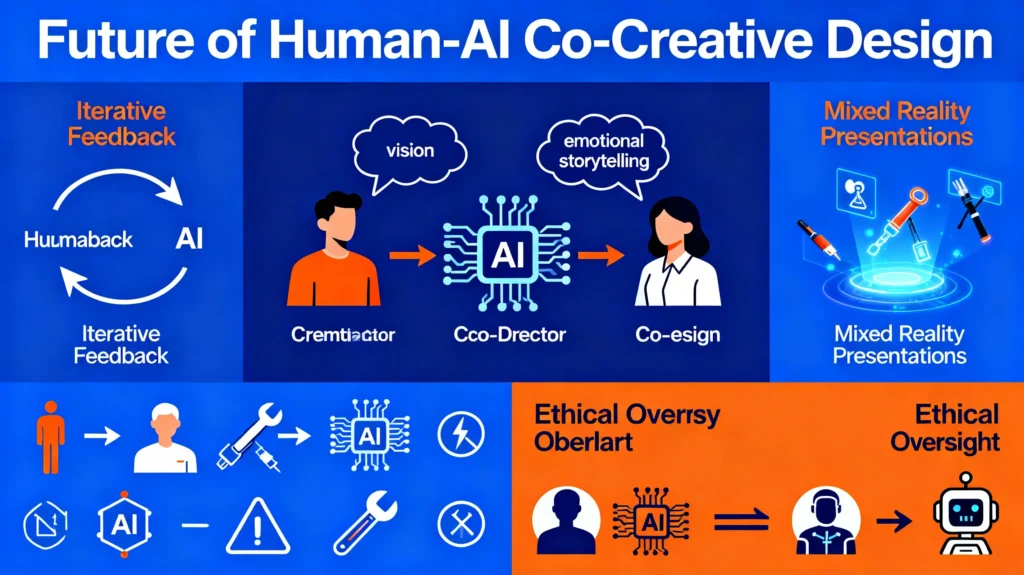
Canva AI is clearly training itself to become a fully autonomous design system.
Future possibilities:
- AI that understands your entire business
- Full brand website automation
- Smart ads that optimize themselves
- Voice-based design creation
- Real-time co-creation with AI teammates
- Sentiment-based design reshaping
If Canva continues this pace, it may become the world’s main creative operating system.
Canva AI Latest Version (2025) – Part 2
Deep Ethical Analysis: Privacy, Bias, Governance & Real Impact on the Future of Work
Introduction: AI Power vs Human Responsibility
Canva’s 2025 AI update is revolutionary — no doubt. But the more power an AI tool gains, the more serious ethical questions arise around it.
Part 2 of this mega-series goes deeper into:
- How Canva AI uses your data
- Whether creative content is truly “yours”
- Where hidden biases still exist
- How global laws treat AI-generated content
- The real impact on creative jobs
- Who should be responsible if AI harms someone
- How companies should regulate AI internally
Canva has made AI accessible to millions — but ethical use is becoming more important than ever.
Let’s break it down step-by-step.
Section 1: The Core Ethical Challenges of AI in Canva
1.1 AI Empowerment vs AI Dependence
Canva AI automates everything from logo design to full marketing campaigns.
But this creates a subtle risk:
People may stop learning actual design.
Millions of creators are now relying entirely on AI for:
- layouts
- color theory
- typography
- branding decisions
- marketing copy
- presentation flow
This shift creates a new kind of dependency — similar to how GPS weakened map-reading skills.
The question:
👉 Will AI make people more creative, or just more dependent?
That depends on how responsibly users adopt AI tools.
Section 2: Canva AI & Data Privacy – The Biggest Hidden Concern
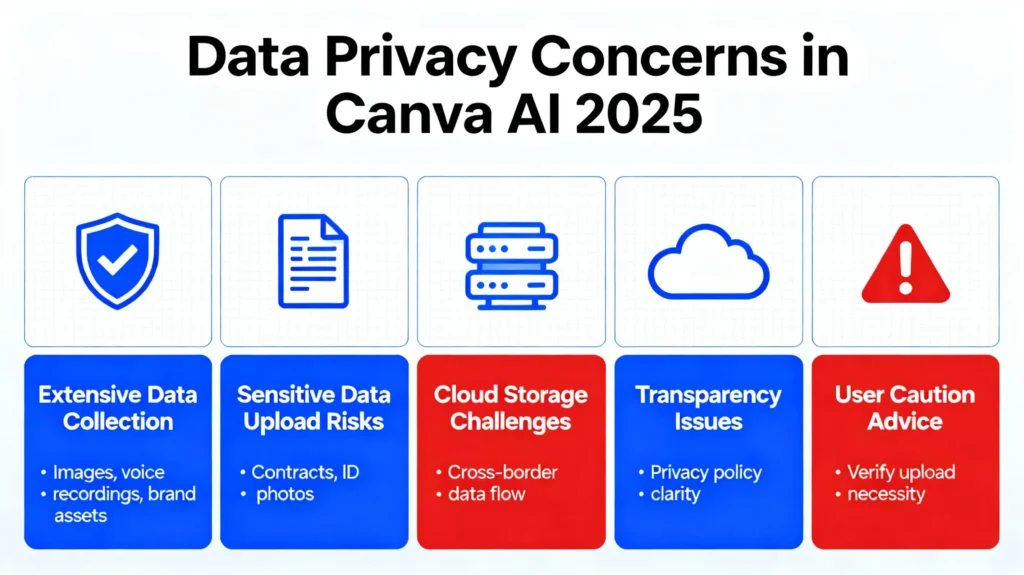
2.1 What Personal Data Canva AI Collects (2025 Update)
Many users don’t realize how much data Canva collects and processes when they use AI features.
The latest update tracks:
- Uploaded images (faces, backgrounds, locations)
- Brand assets (logos, colors, fonts)
- Voice recordings (for text-to-speech/video narration)
- Generated scripts
- Prompt history
- Usage patterns
- Design engagement
- Collaboration behavior (team activity, edits, comments)
This gives Canva an incredibly detailed profile of your identity, business and creative intentions.
2.2 The Risk of “Unintentional Training Data”
Although Canva claims that user data is protected, AI models often improve from anonymous and aggregated information.
This creates concerns:
- Your designs may influence future AI templates
- Your brand style could be learned by the system
- Your uploaded images may be used to improve face generation
Even if anonymized, privacy experts warn that data de-identification is not a guarantee.
2.3 The Problem With Uploading Sensitive Images
Many users upload:
- Company documents
- Teams’ internal photos
- Contracts
- ID-based photos
- Addresses visible in backgrounds
- Product prototypes
- Confidential marketing drafts
If these images leak OR get used accidentally in AI training, the consequences can be serious.
Always follow Rule #1:
✔ Never upload anything to Canva AI that you wouldn’t send to a stranger.
2.4 Where Canva Stores Your AI Data
Canva uses cloud storage, meaning:
- Data may travel across countries
- Servers may be managed by third parties
- Local laws may conflict
- Government requests may force access
- Data breaches are always a possibility
Canva uses strong protections, but no system is 100% immune.
2.5 Transparency Problem
Most users don’t read:
- Privacy policy
- Data retention policy
- AI training terms
- Third-party integrations
This creates uninformed consent, which is a major ethical problem in the AI era.
Section 3: Algorithmic Bias – Canva’s Most Dangerous Weakness
3.1 How AI Bias Affects Canva Outputs
Despite improvements, Canva AI still inherits biases from:
- Global internet datasets
- Western design patterns
- Past user-generated content
- Social media aesthetics
- Cultural stereotypes
- Gender norms
This results in outputs that may unintentionally reflect stereotypes like:
- “Nurse” → mostly women
- “Engineer” → mostly men
- “CEO” → mostly Western-looking male
- “Teacher” → feminine/soft color palette
- “Wedding” → often Western culture visuals
3.2 Cultural Representation Issues
Creating Indian, African, Middle-Eastern or South-East Asian culturally accurate visuals is still a challenge.
Example:
- South Indian wedding visuals may appear North Indian
- African formal clothing may appear Westernized
- Middle Eastern outfits may be overly stylized
- Indian professional photos often appear too fair-skinned
Bias is not always intentional — but its effect is real.
3.3 Appearance Bias
Canva AI may:
- lighten skin tones
- create unrealistic body shapes
- overuse euro-centric beauty standards
Creators must ensure their visuals correctly represent diverse audiences.
3.4 Business Impact of Bias
For brands, biased visuals can:
- Damage reputation
- Alienate customers
- Trigger social media backlash
- Reduce trust
- Misrepresent diversity
Bias is not just an ethical issue — it’s a business risk.
Section 4: Ethical Governance – Who Controls Canva AI?
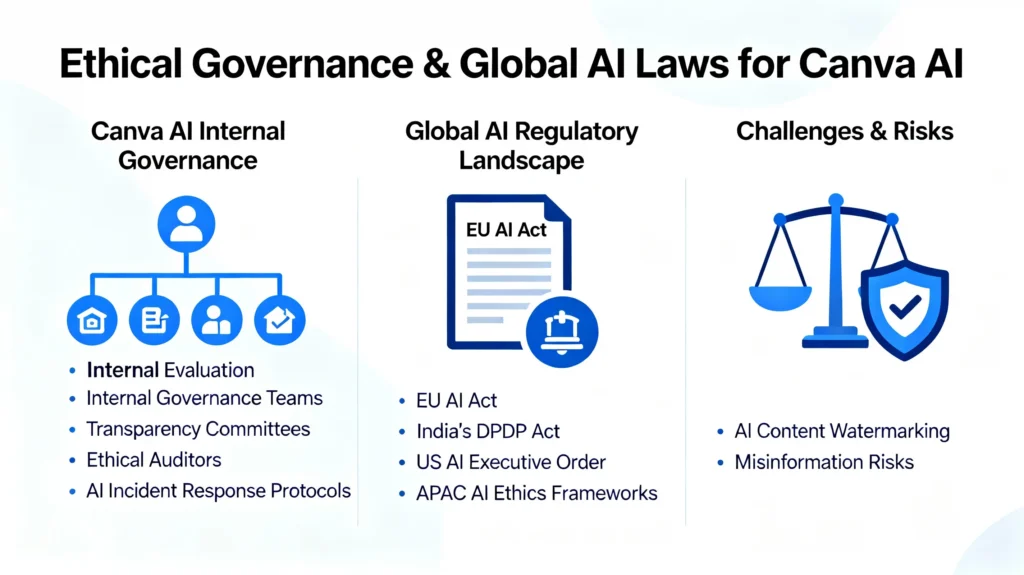
4.1 The Need for Internal AI Governance
Canva uses something called AI Principles, but these are not laws — they are guidelines.
Companies must create internal governance systems, including:
- Data protection teams
- Bias evaluation groups
- Transparency committees
- Ethical auditors
- AI incident response protocols
4.2 The Global Law Landscape (2025)
AI is now regulated by multiple laws:
1. EU AI Act (2024–2025)
Classifies AI tools into risk categories.
Content creation AI falls under Limited Risk, but privacy features must be strong.
2. India’s DPDP Act (2023–2025)
Focus on:
- personal data consent
- privacy by design
- accountability
- user grievance mechanisms
3. US AI Executive Order (2024)
Strong rules for transparency and watermarking.
4. APAC AI Ethics Frameworks
Countries like Singapore, Japan, and Australia are adopting strict AI rules focusing on safety and fairness.
Canva must now comply with all these zones.
4.3 The Watermarking Issue
Unlike image-specific AI tools, Canva AI’s watermarking is inconsistent.
AI-generated content can be misused as “real.”
This can lead to:
- misinformation
- fake documents
- deepfake-style graphics
- false evidence
AI transparency is a critical requirement moving forward.
Section 5: Job Displacement — The Most Sensitive Ethical Debate
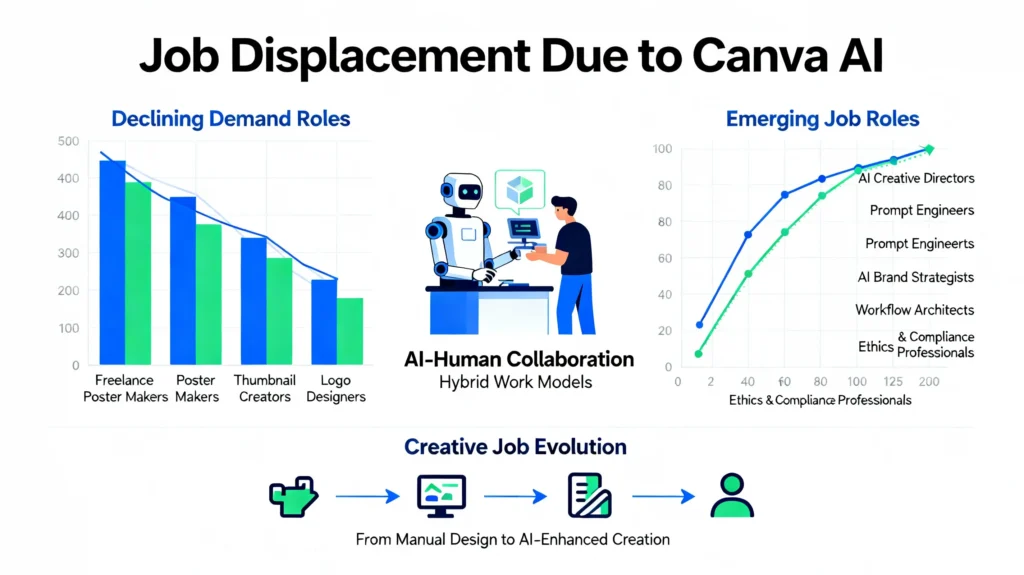
5.1 How Canva AI Replaces Design Tasks
AI now performs:
- social media post creation
- logo ideas
- pitch decks
- marketing campaigns
- animations
- brand kits
- thumbnails
- posters
- landing pages
These are EXACTLY the tasks junior designers used to do.
5.2 Jobs at High Risk
1. Junior Graphic Designers
Clients prefer faster AI-generated designs.
2. Social Media Creators
Agencies use AI templates instantly.
3. Presentation Designers
AI builds full slide decks.
4. Freelance Designers on Fiverr/Upwork
Demand for simple tasks like:
- YouTube thumbnails
- Instagram posts
- simple logos
- banners
has already decreased 30–50% worldwide.
5.3 Jobs That Will Grow Instead
1. AI Creative Directors
Humans who supervise AI outputs.
They understand:
- composition
- branding
- storytelling
- emotion
- psychology
2. Prompt Designers
People who write perfect prompts to generate perfect content.
3. AI Brand Strategists
4. Ethical AI Consultants
5. AI Workflow Architects
These roles are in high demand across agencies and tech firms.
5.4 The Skill Gap Problem
AI is widening the gap between:
- people who use AI
- people who don’t use AI
In the next 3–5 years, this can create:
- income inequality
- creative inequality
- opportunity imbalance
This is why upskilling is essential.
Section 6: Intellectual Property – The Most Confusing Area in AI
6.1 Who Owns AI-Generated Canva Designs?
There are three layers:
1. Canva’s IP
They own:
- the AI model
- the platform
- the libraries
2. You own the output (in most cases)
But this is subject to restrictions:
- You cannot claim originality
- You cannot use it for trademarks
- You cannot claim exclusive copyright
3. Legal gray area
If AI produces a design similar to an existing brand logo → it’s a legal problem.
6.2 Trademark Risk With Canva AI
Trademark offices globally are rejecting AI-generated logos because:
- AI cannot create “unique human creativity”
- AI designs may resemble existing logos
- AI lacks originality
- AI pulls visual patterns from training data
Brands must be cautious.
6.3 The “Dataset Contamination” Risk
If Canva AI was trained on copyrighted artwork, then generated designs may unintentionally resemble those works.
This is called:
👉 Dataset Contamination
And it’s a major legal challenge in 2025.
Section 7: Psychological Effects of AI in Creativity
7.1 Creativity Burnout
Creators feel:
- “AI is faster than me.”
- “My skills don’t matter anymore.”
- “Why learn design when AI does everything?”
This leads to:
- loss of confidence
- creative anxiety
- imposter syndrome
- burnout
7.2 Over-Reliance on Templates
If everyone uses AI templates:
- content becomes repetitive
- brands start looking similar
- originality decreases
- attention spans drop
- consumer fatigue increases
7.3 The “AI Identity Crisis”
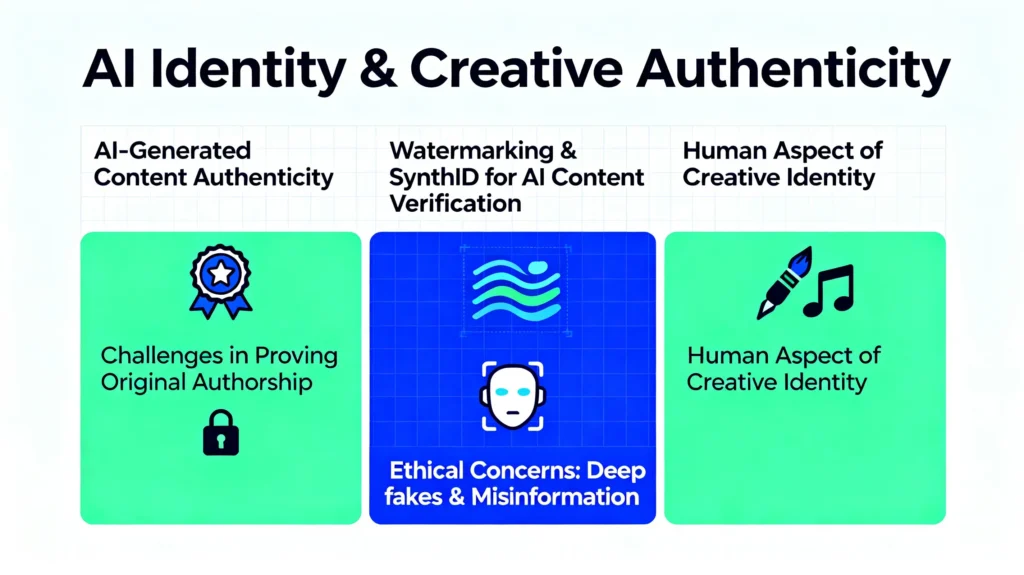
Designers ask:
👉 “What makes me different from AI?”
The answer:
Emotion. Story. Meaning. Life experience. Context. Taste.
AI cannot replicate the full human creative spirit.
Section 8: The Future — What Canva Must Do to Stay Ethical
8.1 Mandatory Content Watermarking
To fight misinformation.
8.2 Full Transparency on Training Data
So users understand risks.
8.3 A “Do Not Train on My Content” Switch
Similar to Adobe.
8.4 Bias Audits Every Year
To ensure fairness.
8.5 AI Design Literacy Courses
To prevent job loss.
8.6 AI Human Oversight Tools
To make humans the final decision-makers.
Canva AI Latest Version (2025) – Part 3
How Canva AI Is Transforming the Global Creative Economy, Job Market & Future Skill Landscape
**Introduction:
A New Economic Reality Powered by AI Design**
In the last few years, creative industries have undergone massive change — but 2025 marks a historic turning point. With Canva AI’s newest version, design workflows, content pipelines, branding processes, and creative job roles have fundamentally shifted. What once required entire teams can now be achieved through one AI-driven interface.
But this transformation raises big questions:
- What happens to traditional creative jobs?
- How do freelancers compete with AI?
- What skills matter in a world where design becomes automated?
- Which industries will grow — and which will shrink?
- How will businesses restructure their creative departments?
Part 3 of this series breaks down the economic impact, job evolution, industry opportunities, risks, and future skill map shaped by Canva AI in 2025.
This is one of the most important analyses for creators, agencies, freelancers, educators, and businesses.
Section 1: The Creative Industry Before Canva AI
To understand Canva AI’s massive effect, we must first look at the creative industry’s structure before AI automation.
1.1 Traditional Design Workflow
Before AI tools, design involved:
- Brainstorming
- Sketching/iterations
- Revising layouts
- Manual colour selection
- Hand-crafted typography
- File formatting
- Content editing
- Collaboration review
This required:
- Graphic designers
- Illustrators
- Video editors
- Content writers
- Presentation designers
- Brand strategists
- Creative managers
Every role had specific responsibilities — making the workflow slow but highly human-driven.
Section 2: Canva AI’s Disruption — A New Design Economy
With Canva AI, a single user can now generate:
- Full campaigns
- Logos & brand kits
- Social media posts
- Posters
- YouTube thumbnails
- Presentation decks
- Website mockups
- Marketing material
- Videos
- Scripts
- Audio narration
ALL within minutes.
2.1 The New “AI-Powered Productivity Curve”
Canva AI introduces:
- 10x faster design cycles
- 70% fewer repetitive tasks
- Massive cost reduction for businesses
- Creative efficiency at scale
This has led to:
- Smaller creative teams
- Reduced freelance spending
- Rising preference for AI-first workflows
Businesses now measure creativity in speed, output volume, and cross-format distribution — not only originality.
Section 3: Jobs at Risk (High-Risk Categories)
AI doesn’t destroy all jobs — but it eliminates tasks, which indirectly reduces demand for certain job roles.
Here are the top careers at risk:
3.1 Junior Graphic Designers
These roles involved:
- Simple layouts
- Social media templates
- Basic posters
- Logo variations
- Simple brand assets
Canva AI can now handle these tasks instantly, making junior-level design less profitable.
3.2 Presentation Designers (PowerPoint/Google Slides)
The new Canva Presentation AI generates:
- 20-slide decks
- Charts
- Icons
- Infographics
- Layouts
- Beautiful transitions
What used to be a 3-hour job now takes 3 minutes.
3.3 Social Media Managers (Content Creation Side)
Clients now prefer:
- Auto-generated Instagram posts
- Quick reels
- AI captions
- Auto-sized content for all platforms
Social media managers who rely only on Canva templates (without strategy skills) face job saturation.
3.4 Freelance Poster/Thumbnail Makers
Platforms like Fiverr experienced a drop in:
- Thumbnail orders
- Flyer designs
- Simple posters
- Facebook ads
- Brochure layouts
Because clients can do it themselves using Magic Design.
3.5 Logo Designers
AI Brand Kits now produce:
- Logo concepts
- Font choices
- Color schemes
- Brand patterns
- Matching templates
This threatens beginner-level logo designers & students who rely on small gigs.
Section 4: Jobs That Will SURVIVE and THRIVE
AI is not just removing jobs — it’s also creating new specialised roles and raising demand for advanced creative skills.
4.1 AI Creative Directors
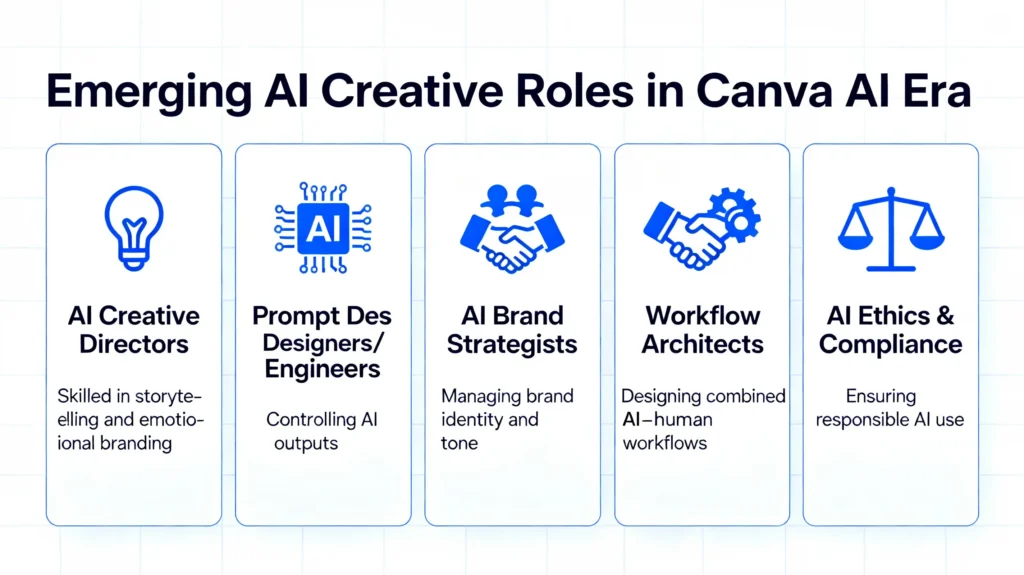
These professionals understand:
- brand storytelling
- design psychology
- user experience
- emotional branding
- human creativity
- AI workflows
They don’t design manually — they direct AI.
Average salary is growing because businesses need experts to guide creative AI decision-making.
4.2 Prompt Designers / Prompt Engineers
Prompting has become a real job skill.
People who know how to:
- structure prompts
- control output
- refine design
- create consistent branding
- guide AI style
- fix errors
are in high demand.
4.3 AI Brand Strategists
These specialists:
- build brand identities
- create emotional tone
- define design language
- manage Canva AI brand kits
- guide AI output structure
AI cannot create a brand’s soul — humans still do that.
4.4 AI Workflow Architects
Every company is integrating AI into:
- customer support
- marketing
- design
- HR
- sales
Workflow architects design end-to-end systems that combine AI + human skills.
4.5 AI Ethics & Compliance Professionals
Companies need experts who ensure:
- no bias
- no discrimination
- no copyright issues
- no privacy violations
- no misuse of AI visuals
This job is rapidly growing as governments enforce AI governance laws.
Section 5: The New Creative Economy (2025–2030)
Here’s how Canva AI is reshaping global economic structures:
5.1 Democratization of Creativity
Earlier, only skilled designers could produce high-quality visuals.
Now:
ANYONE can design:
- students
- entrepreneurs
- small businesses
- freelancers
- influencers
- non-designers
This expands the creativity economy massively.
5.2 Price Drop of Basic Creative Work
Design work that cost $20–$100 in 2020 now costs:
- $0 with templates
- $1–$10 with AI
- $5–$25 with freelancers
Market shifts:
- Simple work is undervalued
- Advanced creative thinking is more valued
- Strategy-focused roles grow in demand
5.3 Increased Output = Content Saturation
Because AI makes design easy, the internet is getting saturated with:
- similar templates
- similar designs
- similar content styles
This leads to a new problem:
👉 Standing out becomes harder.
Brands need deeper differentiation.
5.4 Competitive Advantage Moves to Human Skills
Even with AI everywhere, companies look for:
- human taste
- emotional design
- original ideas
- strategic branding
- cross-cultural understanding
AI automates design — but cannot replace artistic intuition.
Section 6: Opportunities for Creators (How to Win in the AI Era)
AI isn’t a threat — it’s a multiplier.
Here’s how creators can use Canva AI to grow FAST:
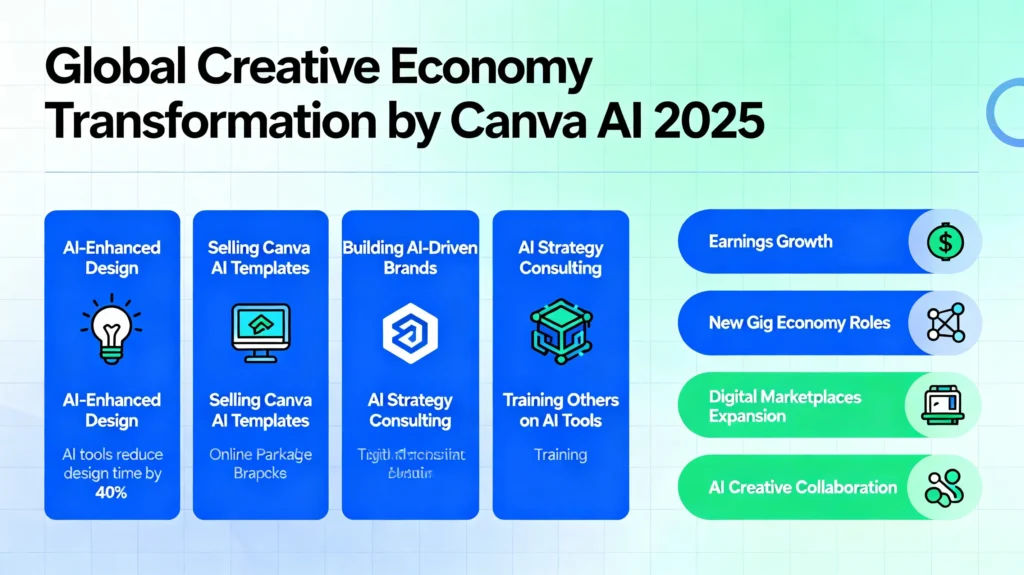
6.1 Become an AI-Enhanced Designer
Use AI for:
- variations
- ideas
- layout suggestions
- faster production
But add your unique:
- taste
- creativity
- perspective
- storytelling
Clients pay for your brain — not for Canva.
6.2 Sell Canva AI Templates
A huge market is exploding for:
- reel templates
- branding kits
- presentation themes
- influencer kits
- ebook layouts
Creators are earning $1,000–$20,000/month selling Canva templates.
6.3 Build AI-Driven Brands
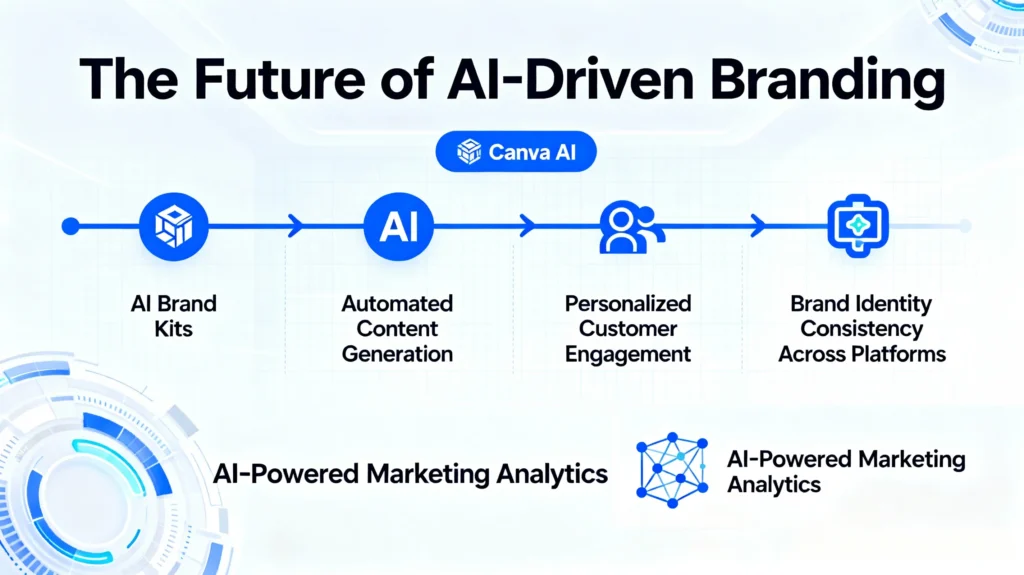
Help businesses create:
- AI brand kits
- AI video content
- AI social posts
- AI sales decks
- AI workflows
This consultancy model is in huge demand.
6.4 Offer AI Strategy Services
Companies need guidance on:
- How to use Canva AI safely
- How to avoid legal risks
- How to maintain brand identity
- How to scale content with AI
This service is lucrative.
6.5 Train Others (AI Education)
Educators & coaches can teach:
- Canva AI tutorials
- Prompting workshops
- Branding courses
- AI design thinking
AI education is becoming a billion-dollar market.
Section 7: Future Skill Map (2025–2030)
To survive and grow in an AI-driven design economy, you need new skills.
Here’s a complete future skill map:
A. Technical AI Skills
- Prompt engineering
- AI design workflows
- AI branding systems
- AI video creation
- Automation tools
- Content repurposing with Magic Switch
B. Strategic Skills
- Brand psychology
- Emotional storytelling
- Visual identity design
- Consumer behavior
- Project direction
C. Soft Creative Skills
- Original ideation
- Creative intuition
- Aesthetic judgement
- Narrative thinking
D. Ethical & Governance Skills
- AI transparency
- Responsible creativity
- Copyright literacy
- Bias detection
- Privacy safety
E. Business Skills
- Marketing funnels
- Selling templates
- Client communication
- Creative consulting
This is the New Designer Skillset for the AI era.
Section 8: How Businesses Must Adapt to Canva AI
Companies must restructure their teams to balance:
- AI automation
- Human creativity
- Ethical responsibility
- Brand originality
Changes include:
- Smaller design teams, bigger strategy teams
- More AI-driven content pipelines
- Creative directors responsible for AI supervision
- Agencies offering AI services instead of manual design
- Brand kits built entirely inside Canva AI
- Faster turnaround times for campaigns
Section 9: Psychological & Cultural Impact
Canva AI is also transforming:
- creative identity
- self-expression
- cultural representation
- artistic confidence
Some feel empowered.
Some feel threatened.
Some feel creatively reborn.
This shift is emotional as much as technological.
Canva AI Latest Version (2025) – Part 4
**Can Machines Truly Design With Meaning?
The Philosophy, Psychology & Human Soul of AI-Assisted Creativity**
**Introduction:
When AI Designs, What Happens to the Human Spirit?**
Technology has always changed creativity:
The camera changed painting.
Photoshop changed photography.
Canva changed design.
And now, Canva AI is changing the very definition of creativity itself.
For the first time in history, machines can design, imagine, illustrate, generate, and express visual concepts — all in seconds.
This raises intense philosophical questions:
- Can AI be creative?
- Is AI-generated art “real art”?
- Is design still meaningful when machines do it?
- What remains uniquely human in the creative process?
- What becomes of creativity when AI becomes universal?
Part 4 explores the soul of creativity, the identity of artists, the future of design meaning, and the deep emotional implications of Canva AI.
Section 1: What Does “Creativity” Truly Mean?
Before judging whether AI can be creative, we must ask:
What is creativity?
Creativity has 4 components:
1.1 Originality
Creating something new or unexpected.
1.2 Emotion
Translating inner feelings into visuals.
1.3 Intent
Having a purpose behind creation.
1.4 Meaning
Making art that communicates, inspires, or moves people.
AI can simulate originality.
AI can replicate styles.
AI can remix patterns.
AI can produce beautiful images.
But here’s the key difference:
AI generates. Humans create.
AI imitates. Humans intend.
AI predicts. Humans feel.
This becomes the foundation of our philosophical analysis.
Section 2: Can Canva AI Actually “Be Creative”?
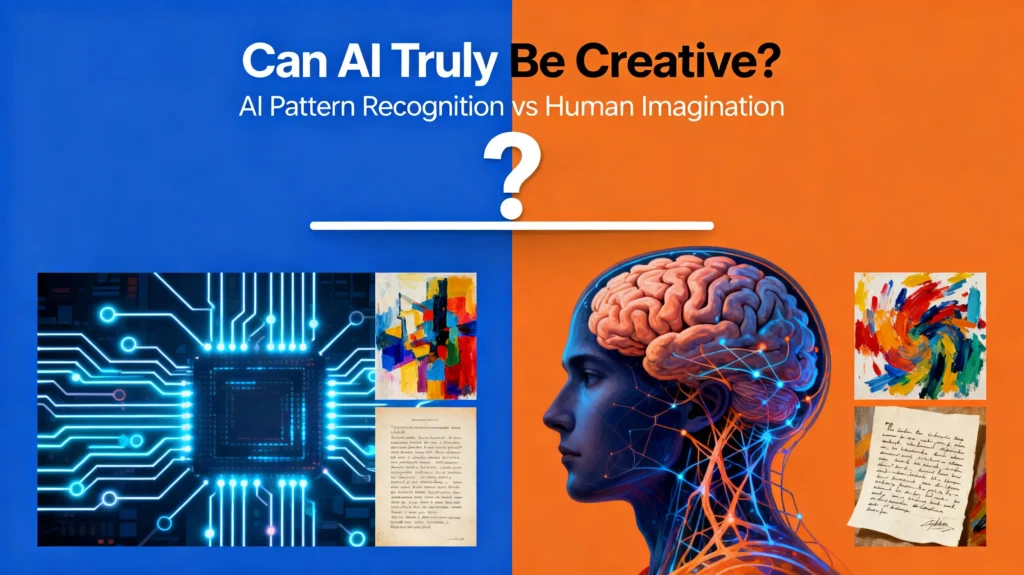
2.1 AI Doesn’t Imagine — It Predicts
Canva AI’s “creativity” comes from:
- patterns
- probabilities
- datasets
- trained models
- statistical associations
It doesn’t dream.
It doesn’t feel inspired.
It doesn’t have lived experiences.
It simply predicts what pixels, colors, or shapes should come next.
2.2 AI Has No Personal Story
When a human draws, they draw from:
- childhood memories
- failures
- love
- loss
- ambition
- joy
- culture
- nostalgia
AI has none of this.
2.3 AI Has No Self-Identity
Artists often express:
- who they are
- where they come from
- what they feel
- what they believe
AI has no identity, no personality, no inner world.
2.4 So Is AI Creative?
The philosophical answer is:
AI is creative in form,
but not creative in spirit.
It produces art,
but it doesn’t experience art.
It creates beauty,
but it doesn’t understand beauty.
It expands imagination,
but it doesn’t have imagination.
Section 3: The Human-AI Collaboration – A New Art Form
Rather than seeing AI as a threat, we must see it as a collaborator.
Here’s the truth:
AI + Humans = Supercreativity
AI provides:
- speed
- variations
- inspiration
- endless possibilities
- layouts
- automation
Humans provide:
- emotion
- taste
- judgement
- purpose
- narrative
- intention
- meaning
Together, they form a new kind of creativity that neither could achieve alone.
This is the birth of co-creative intelligence.
Section 4: How Canva AI Changes the Human Mind
AI not only changes design —
it changes designers.
4.1 AI Boosts Ideas
Creators feel more confident because AI helps:
- overcome blank pages
- spark new styles
- explore creative directions
- visualise ideas instantly
4.2 AI Can Also Reduce Confidence
Some creators feel:
- “AI is better than me.”
- “Why should I design?”
- “My skills don’t matter now.”
- “I feel replaced.”
This psychological effect is profound.
4.3 The Identity Crisis
Designers once defined their identity by:
- hand skill
- technical ability
- aesthetic intuition
Now the question becomes:
Who am I as a designer if AI can do everything?
The answer lies in what AI cannot do.
Section 5: What AI Can Never Replace in Human Creativity
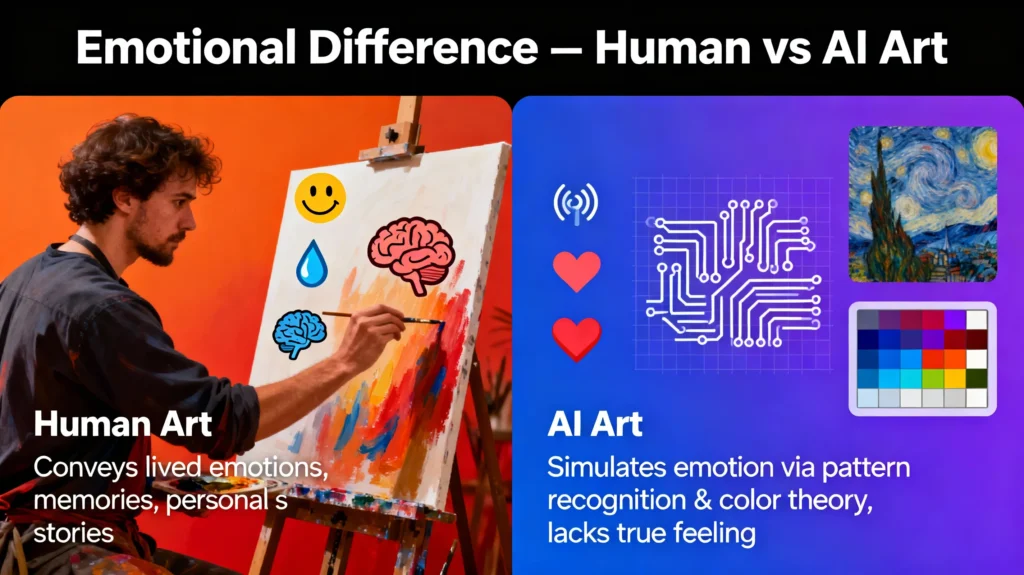
5.1 Emotion
AI cannot feel joy, love, fear, or grief.
5.2 Lived Experience
AI cannot experience life, culture, or memories.
5.3 Original Consciousness
AI cannot have purpose or intention.
5.4 True Taste
AI cannot develop personal aesthetic preferences — it only copies.
5.5 Ethical Understanding
AI cannot understand right or wrong.
5.6 Meaning
AI cannot infuse art with human meaning.
These elements form the essence of human creativity.
Section 6: Will AI Ruin Creativity or Amplify It?
6.1 The Fear: “Everyone Using AI Will Make Art Meaningless”
Some argue that design will become:
- oversaturated
- repetitive
- formulaic
- emotionless
This is partially true.
But here’s the real insight:
The more AI becomes common, the more human uniqueness will matter.
6.2 Creativity Will Evolve, Not Disappear
Just like:
- cameras didn’t kill painting
- calculators didn’t kill math
- computers didn’t kill writing
AI will not kill creativity —
it will shift what creativity means.
Section 7: The Philosophy of AI Aesthetics
AI is creating a new global aesthetic:
- smooth gradients
- neon color palettes
- cinematic lighting
- dreamlike faces
- symmetrical compositions
- hyper-polished visuals
This AI aesthetic is becoming the “new normal”.
But it comes with a risk:
7.1 AI Aesthetic Homogenization
Everything starts looking the same.
Real artists will differentiate by:
- breaking patterns
- rejecting perfection
- embracing imperfection
- expressing raw emotion
- bringing culture and identity
AI makes beautiful designs.
Humans make meaningful designs.
Section 8: The Future of Art in an AI World
8.1 AI Will Handle Execution
Colors, layouts, animations, templates, variations, resizing — AI does that well.
8.2 Humans Will Handle Meaning
Storytelling, strategy, emotion, message — humans excel here.
8.3 Creative Directors Will Replace Graphic Designers
This is the new creative hierarchy.
8.4 Clients Will Value “Human Touch” Even More
AI designs are everywhere —
human-authored design will become premium.
Section 9: Ethical Creativity in the Canva AI Era
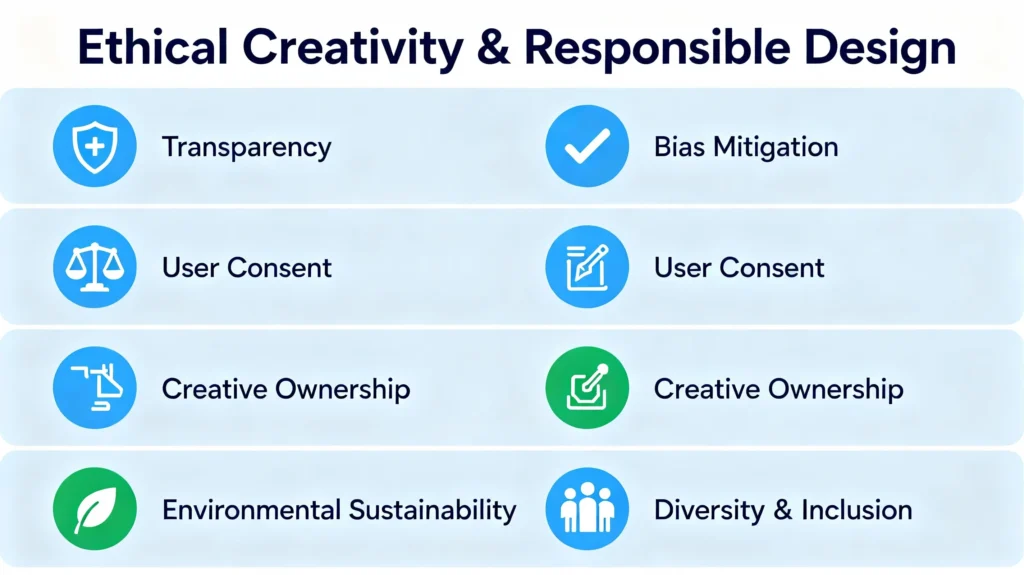
To protect creativity, we need:
9.1 Transparency
Always disclose AI-generated elements.
9.2 Ethical Prompts
Avoid generating harmful, biased, or misleading visuals.
9.3 Creative Responsibility
Ensure your AI visuals:
- respect culture
- avoid stereotypes
- maintain authenticity
- don’t infringe IP
9.4 Human Oversight
AI should assist creativity — not define it.
The Final Answer –
Can Machines Create With Soul?**
The ultimate philosophical question:
👉 Can AI design with meaning?
The answer:
AI can create the art.
But only humans can create the artist.
AI can generate beauty.
But only humans can feel beauty.
AI can simulate emotion.
But only humans can embody emotion.
Canva AI is a tool —
but the soul of creativity remains human.
And that is what will guide the future of creative technology.
Top 10 FAQs About Canva AI Latest Version (2025)
1. What is Canva AI and why is it important in 2025?
Canva AI is Canva’s advanced artificial intelligence system that automates design, branding, video editing, presentations, and content creation. The 2025 version introduces better image generation, Magic Studio 2.0, smarter branding tools, and faster workflows — making high-quality design accessible to everyone.
2. What’s new in the latest Canva AI update (2025)?
The latest update includes:
- Magic Studio 2.0
- AI-powered full project generation
- Enhanced text-to-image model
- AI presentation builder 2.0
- Magic Switch repurposing tool
- AI brand voice and tone training
- Automated video generation and scripts
These updates massively improve speed, accuracy, and creative efficiency.
3. Is Canva AI safe to use for personal and business designs?
Yes, Canva uses secure cloud storage and encrypted systems. However, users should still avoid uploading sensitive information, confidential documents, or private faces they do not want stored. It’s important to follow safe-upload practices to avoid privacy risks.
4. Does Canva AI store the images and designs I upload?
Canva may store user-uploaded images, text, audio, and prompts to improve services unless you disable certain settings. While Canva claims anonymization, users should remain cautious with private data and check data retention options inside account settings.
5. Can Canva AI generate copyrighted or trademarked content?
Canva AI sometimes generates visuals similar to existing copyrighted designs due to training data influences. It’s always recommended to review AI-created logos, brand assets, and characters to avoid copyright conflicts. AI-generated logos are not ideal for trademark registration.
6. How does Canva AI affect jobs for designers and creators?
Canva AI automates repetitive design tasks, reducing demand for entry-level designers, presentation makers, thumbnail creators, and social media content makers.
However, new roles are growing:
- AI Creative Directors
- Prompt Designers
- AI Brand Strategists
- AI Workflow Consultants
- Ethical AI Specialists
AI shifts work — it doesn’t eliminate creativity.
7. How does Canva AI handle cultural or demographic bias?
Canva uses bias-reduction layers, diverse training data, and fairness checks, but bias still exists. Some visuals may display stereotypes, inaccurate cultural representation, or Western aesthetic dominance. Users should review outputs when designing for global audiences.
8. Can I use Canva AI images and designs commercially?
Yes, Canva allows commercial use of AI-generated content, except:
- Celebrity likenesses
- Identifiable real people
- Trademarked designs
- Harmful or misleading visuals
Always check Canva’s licensing guidelines before using AI art in products or advertising.
9. Is AI-generated content from Canva considered “real art”?
AI-generated art is considered creative but not human-authored. Canva AI can produce beautiful visuals, but it cannot feel emotion or intention. Real art still comes from human taste, meaning, cultural identity, and storytelling — AI simply accelerates the process.
10. How can creators stay relevant in the Canva AI era?
Creators can grow by focusing on:
- AI-assisted design skills
- Prompt engineering
- Brand storytelling
- Emotional design
- Strategy-driven creativity
- Selling Canva templates
- Offering AI workflow consulting
Human imagination + AI automation = the future of creativity.
Your point of view caught my eye and was very interesting. Thanks. I have a question for you.