
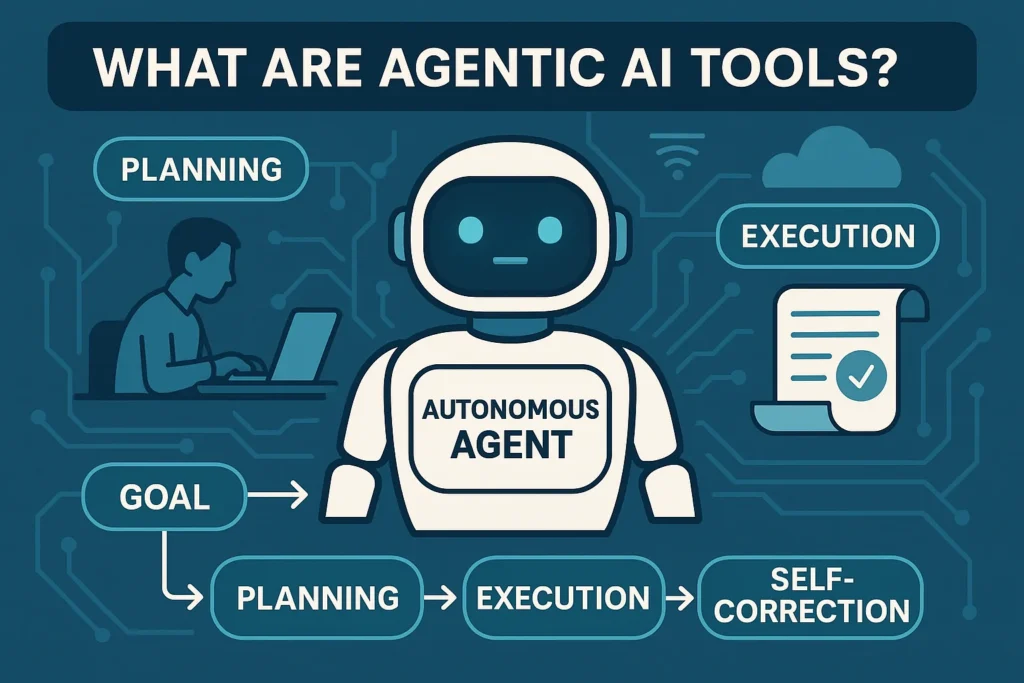
⭐ PART 1 — Introduction, What Are Agentic AI Tools, How They Work, Evolution & Why 2025 Is a Breakthrough Year
🔥 Introduction: The Start of the Autonomous AI Era
For the last decade, Artificial Intelligence has been growing rapidly — but 2025 marks the true beginning of a new era:
The Age of Agentic AI Tools, also known as Autonomous AI Agents.
Until now, AI tools like ChatGPT, Claude, or Copilot could generate content, answer questions, and help with tasks — but they always needed your instructions, your guidance, and your actions.
2025 changed everything.
With the rise of Agentic AI, machines no longer wait for commands.
They:
- Plan tasks
- Break objectives into steps
- Execute them automatically
- Use tools on their own
- Learn from mistakes
- Improve results
- Work independently like digital employees
In simple words:
Agentic AI = AI that thinks, decides, and acts for you — without constant supervision.
This shift is as big as smartphones replacing feature phones.
Just like mobile apps changed everything, AI agents are about to transform every workflow and every job role.
🔍 Section 1 — What Are Agentic AI Tools? (Simple Explanation)
Agentic AI Tools are autonomous digital agents capable of:
- Understanding high-level goals
- Breaking them into subtasks
- Planning workflows
- Executing tasks across apps
- Using other tools (browsers, APIs, software)
- Troubleshooting errors
- Completing projects end-to-end
These tools behave like AI employees.
They don’t wait for repeated instructions.
You tell them:
“Research the top 20 viral AI trends, summarize the insights, and send me a PDF.”
And the agent will:
- Research online
- Fetch data from multiple sources
- Summarize accurately
- Format into a PDF
- Deliver the final file
- Ask if you want distribution (email/social)
This is not normal AI.
This is Agentic AI.
🧠 Section 2 — Why 2025 Is the Breakthrough Year for Autonomous AI
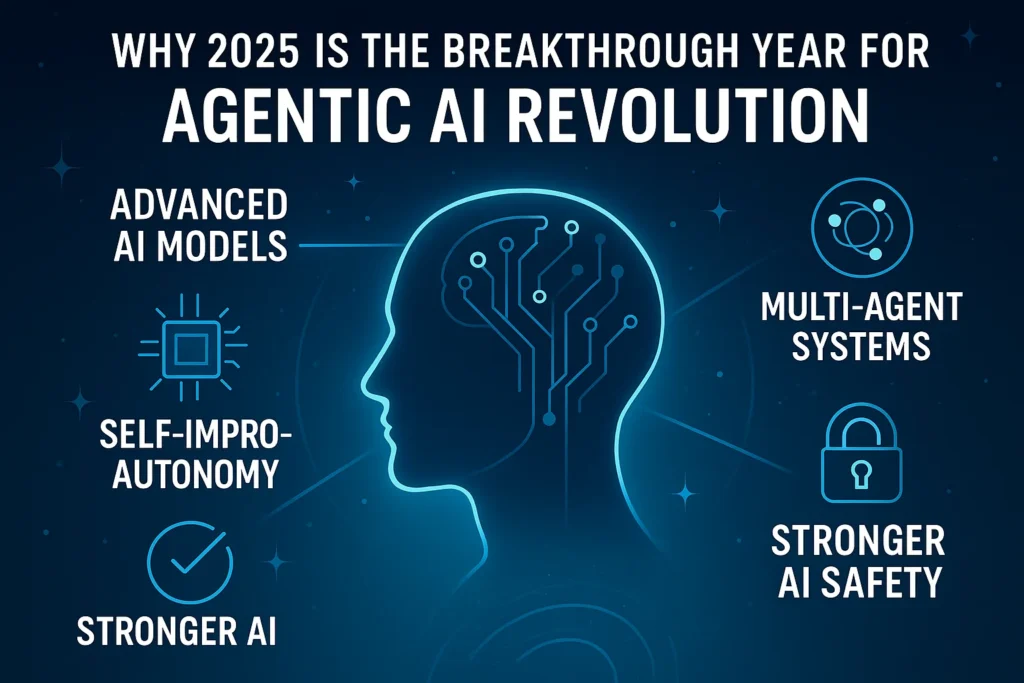
2025 is special because of three major breakthroughs:
1️⃣ Superhuman Reasoning Models (4o, Claude 3, Devin, Gemini 2.5, Q)*
Models now understand tasks, logic, steps, dependencies, tools, and can self-correct.
This creates AI with:
- Better memory
- Better logic
- Better autonomy
- Better decision-making
2️⃣ Rise of Agent Frameworks
New frameworks made agents possible:
- AutoGPT
- CrewAI
- LangChain Agents
- Devin AI Developer Agent
- Perplexity Agents
- Rewoork Autonomous Systems
- OpenAI Assistant Tools
These frameworks allow AI to call APIs, write files, fix errors, browse internet, and complete workflows.
3️⃣ Companies Start Hiring “AI Employee Roles”
2025 also introduced new job categories:
- AI Operator
- AI Workflow Designer
- Agent Supervisor
- AI Product Automation Specialist
This proves Agentic AI is not a trend — it’s becoming a business infrastructure.
⚙️ Section 3 — How Agentic AI Works (Beginner-Friendly Breakdown)
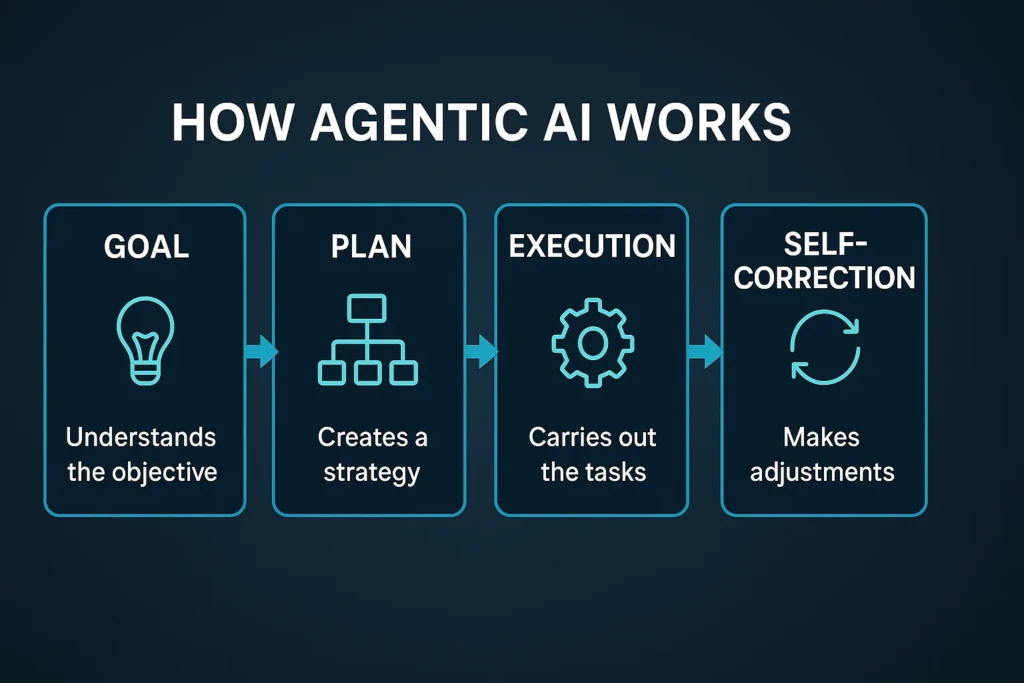
Agentic AI works in five core stages:
1️⃣ Goal Understanding
The agent reads your instruction and identifies the final outcome.
Example:
“Create a full YouTube script about Agentic AI.”
The AI identifies the final goal:
→ A completed YouTube script.
2️⃣ Planning
The agent makes a step-by-step plan like:
- Research topic
- Organize structure
- Write introduction
- Add examples
- Create engaging hooks
- Proofread content
- Deliver final script
This is done automatically.
3️⃣ Tool Usage
Agents can use external tools like:
- Browser
- Python
- File editors
- APIs
- Databases
- Spreadsheets
Example:
Devin AI builds full software using real Linux tools.
4️⃣ Execution + Decision Making
The agent executes steps one by one and makes decisions automatically.
If something fails → it retries.
If something breaks → it fixes.
If something changes → it adapts.
5️⃣ Self-Correction & Learning
Agents evaluate their work and improve results.
The more they run, the smarter they get.
🔧 Section 4 — Types of Agentic AI Tools Available in 2025
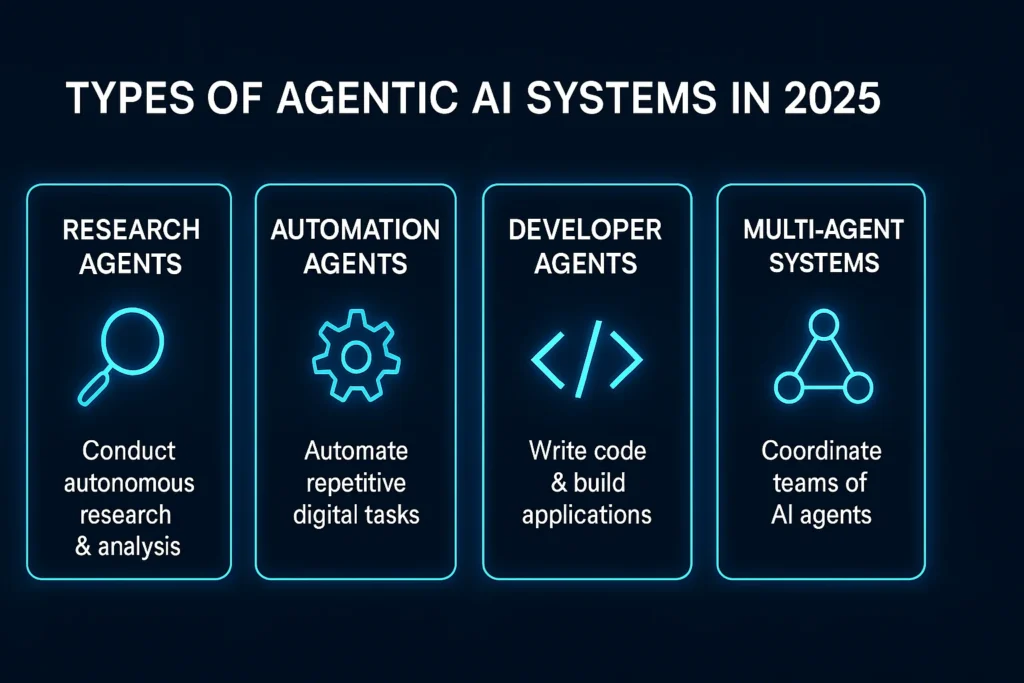
All agentic AI tools fall into 6 major categories:
1️⃣ Research Agents (Browser Automation)
Used for:
- Market analysis
- Trend discovery
- Industry reports
- Deep research tasks
Examples:
- Perplexity Agents
- ReSearchGPT
- Fable Agents
2️⃣ Developer Agents
These build software automatically.
Examples:
- Devin (world’s first AI engineer)
- Cursor AI Agents
- Codeium Agent Mode
Capabilities:
- Write code
- Debug errors
- Run tests
- Deploy apps
3️⃣ Workflow Automation Agents
These replace Zapier & manual workflow systems.
Examples:
- Rewoork Autonomous Systems
- OpenAI Assistant Workflows
- LangChain Agents
4️⃣ Creative Agents
Used for:
- Scriptwriting
- Content creation
- Image generation
- Video editing
Examples:
- Pika AI Agent Mode
- Runway AI Agent
- Canva AI Agent
5️⃣ Business & Enterprise Agents
Great for:
- Sales automation
- Email writing
- CRM updates
- Report generation
Examples:
- Salesforce AgentGPT
- HubSpot AI Agents
6️⃣ Multi-Agent Systems (Teams of AIs)
Multiple agents working like a digital workforce:
- One agent researches
- Another generates content
- Another checks for errors
- Another formats output
Examples:
- CrewAI
- AutoGPT
- Microsoft Autogen
This is the future of AI companies.
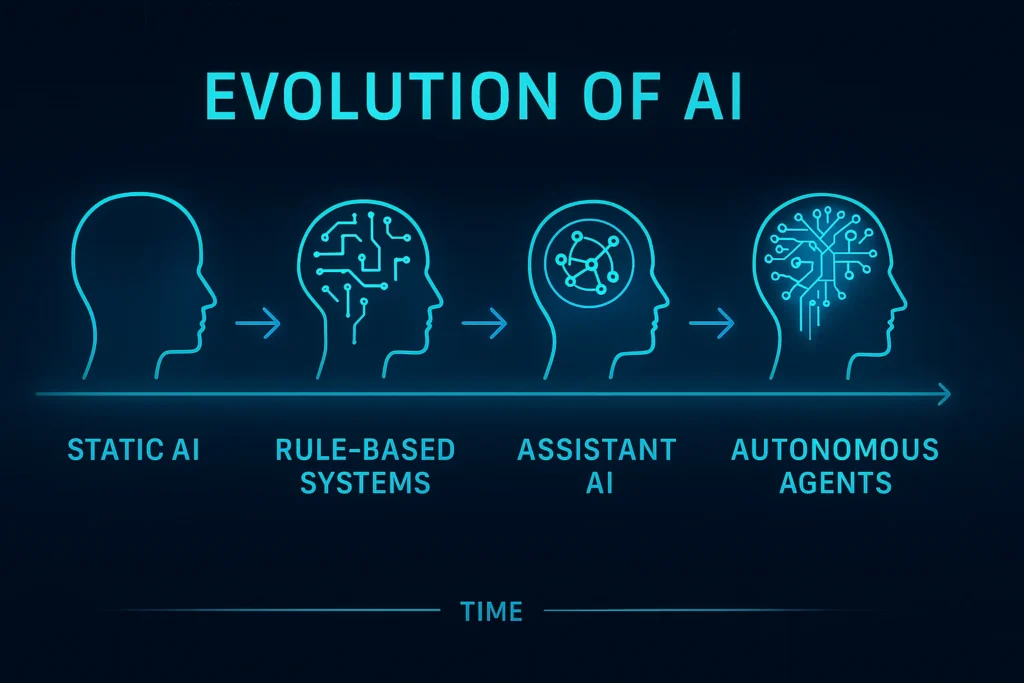
🕰️ Section 5 — Evolution: How We Reached Agentic AI
Let’s understand the timeline:
📌 Phase 1 (2018–2022): Static AI
Tools like Siri, Google Assistant, Alexa → very limited.
📌 Phase 2 (2022–2024): Generative AI
ChatGPT, Bard, Claude, MidJourney
→ Great for writing, but no autonomy.
📌 Phase 3 (2024–2025): Agentic AI
AI that acts, not just writes.
📌 Phase 4 (2026+): Autonomous Workforce (Predicted)
AI employees working:
- 24/7
- No breaks
- No salary
- No burnout
This will redefine the global economy.
🌟 Section 6 — Why Businesses Are Switching to Autonomous Agents
Businesses realized that AI agents:
✔ Reduce cost
✔ Increase output
✔ Automate repetitive tasks
✔ Speed up workflows 10x
✔ Replace manual research
✔ Perform multi-step tasks
✔ Reduce human errors
Agentic AI is becoming the new productivity standard.
Companies no longer want:
- 10 tools
- 10 dashboards
- 10 workflows
They want 1 AI agent that does everything.
🎯 Section 7 — Key Benefits of Agentic AI (Quick Overview)
✔ Works automatically
✔ Saves hundreds of hours
✔ Reduces workload
✔ Improves accuracy
✔ Runs 24/7
✔ Replaces manual labor
✔ Can scale infinitely
✔ Learns continuously
These benefits will be deeply covered in Part 4.
🧩 Section 8 – Why Agentic AI Matters for Everyone
Agentic AI is not only for companies.
It helps:
- Students
- Freelancers
- YouTubers
- Solopreneurs
- Developers
- Designers
- Marketers
- Writers
- Engineers
Everyone can automate 30–70% of their work using AI agents.
2025 is the first time normal people can use autonomous AI.
And this is just the beginning.
⭐ PART 2 — Beginner-to-Pro Guide: How to Use Agentic AI Tools (Step-by-Step), Best Use-Cases, Workflows, and Real Examples
SECTION 1 — Understanding the Interface of Agentic AI Tools
Every Agentic AI system — Devin, AutoGPT, Rewoork, CrewAI, or GPT Agents — follows a similar 3-part interface:
🖥️ 1.1 Input Panel (Goal Setting)
This is where you describe your outcome.
Examples:
- “Create a 7-day meal plan and export as PDF.”
- “Build a landing page for my fitness brand with SEO content.”
- “Research the top AI tools and prepare a comparison sheet.”
- “Study YouTube trends and prepare 10 viral video ideas.”
📂 1.2 Task View (Step-by-Step Execution)
The agent splits your goal into steps such as:
- Research
- Fetch data
- Analyze competitors
- Write code
- Generate content
- Debug
- Save files
You watch the agent working like a digital employee.
📁 1.3 Output Panel (Final Result)
Depending on the tool, results may include:
- Completed documents
- Working code
- Market reports
- PDFs
- Designs
- Webpages
- Emails
- Data sheets
The best part?
You don’t need to manually edit anything — it’s ready to use.
SECTION 2 — How to Use Agentic AI (Beginner Guide, Very Simple)
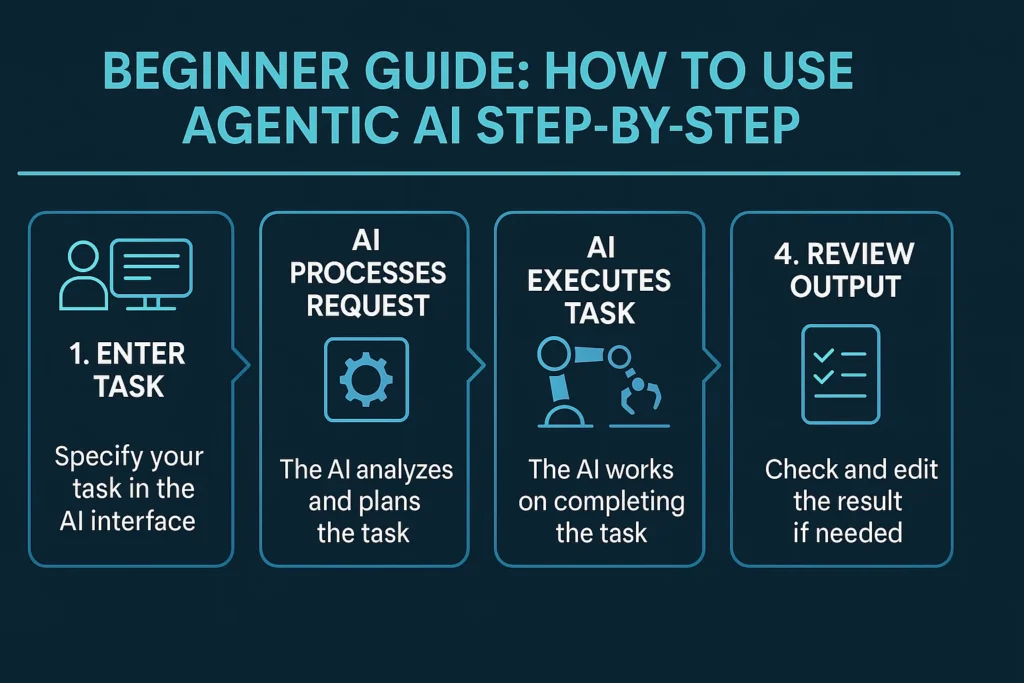
Let’s break it down into 4 easy steps.
🔵 Step 1: Give the Agent a High-Level Goal
Agentic AI works best when you give “end-goals.”
Examples:
- “Write me a 2500-word blog on Agentic AI with formatting.”
- “Find 50 business ideas for AI developers.”
- “Build a Python app that scrapes stock prices.”
- “Create a social media posting schedule for 30 days.”
Don’t write small tasks.
Agents need big goals.
🟢 Step 2: Let the Agent Plan Automatically
Agents automatically create workflow steps such as:
- Data research
- File creation
- Code generation
- Website scraping
- Formatting
- Error correction
- Final output creation
This is autonomy in action.
🟡 Step 3: The Agent Executes Tasks Alone
Depending on the platform, the agent may:
- Open the browser
- Write & test code
- Analyze PDFs
- Generate images
- Create documents
- Run multi-tool actions
You can watch tasks happening in real time — similar to watching an employee work.
🔴 Step 4: Review Output + Give Additional Instructions
Once the agent finishes, you can say:
- “Make it more beginner-friendly.”
- “Add more examples.”
- “Fix formatting.”
- “Add citations.”
- “Export as PDF.”
- “Make a YouTube script from this report.”
The agent will refine everything.
SECTION 3 — Real Use-Cases for Agentic AI (Practical Tasks Anyone Can Automate)
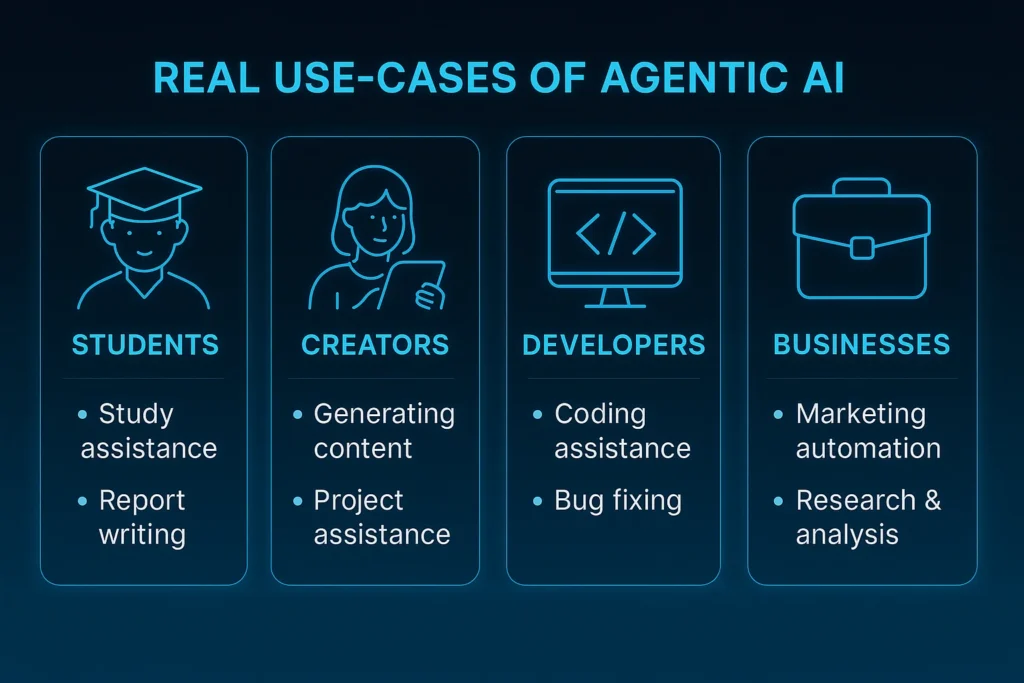
Agentic AI tools reduce 5–10 hours of daily work.
Here are the most powerful use cases:
🎓 3.1 Use-Cases for Students & Learners
Agents help with:
- Research papers
- Assignments
- Class notes
- Book summaries
- Exam preparation
- Project reports
- Coding practice
Examples:
“Summarize this 60-page PDF into 10 bullet points.”
“Create flashcards for this chapter.”
“Rewrite this assignment in academic English.”
✍️ 3.2 Use-Cases for Bloggers & Content Creators
Agents can:
- Research topics
- Generate outlines
- Write articles
- Create scripts
- Make thumbnails (via connected tools)
- Extract trending topics
- Do SEO optimization
Examples:
“Write a 2000-word SEO blog with keywords and subheadings.”
“Analyze trending niches and suggest 20 viral video ideas.”
💼 3.3 Use-Cases for Businesses
Agentic AI helps with:
- Market research
- Email campaigns
- Customer analysis
- Competitor analysis
- Operational automation
- Lead generation
- Product documentation
Examples:
“Research 50 competitors in the SaaS niche and create a comparison chart.”
“Create email sequences for a new product launch.”
💻 3.4 Use-Cases for Developers & Programmers
This is the strongest category of Agentic AI.
Agents can:
- Write code
- Debug code
- Fix errors
- Build applications
- Run tests
- Create documentation
- Deploy projects
Examples:
“Build a weather app in Python and deploy it to GitHub.”
“Debug this Java code and explain the fix.”
Tools like Devin and Cursor Agents make developers 5x faster.
📱 3.5 Use-Cases for Social Media Marketing
Agents can do:
- Trend analysis
- Hashtag research
- Scheduled posting
- Content calendar
- Caption writing
- Engagement analysis
Example:
“Create a 30-day posting plan for Instagram, including captions and hashtags.”
🛠️ 3.6 Use-Cases for Freelancers
Agents help with:
- Proposal writing
- Portfolio creation
- Client communication
- Market analysis
- Project breakdown
Examples:
“Create a professional Upwork proposal for a UI/UX project.”
SECTION 4 — Step-by-Step Autonomous Workflow Examples
Here are real autonomous workflows you can execute today:
🔧 Example 1: Create a 2000-Word Blog Automatically
Instruction to agent:
“Create a 2000-word SEO blog on AI agents with H2, H3, keywords, examples.”
Agent actions:
- Research latest content
- Analyze competitors
- Create outline
- Write content
- Add examples
- Format headings
- Optimize keywords
- Export as document
Done.
📊 Example 2: Build a Full Market Research Report
Instruction:
“Analyze the 2025 AI tools market and create a detailed report.”
Agent actions:
- Live browsing
- Competitor comparison
- Trend analysis
- Growth projections
- Final PDF report
🧑💻 Example 3: Build a Working App
Instruction:
“Create a calculator app using Python with GUI and explain the code.”
Agent actions:
- Writes code
- Tests errors
- Fixes bugs
- Generates final script
- Creates documentation
🎥 Example 4: Create a YouTube Video Script
Instruction:
“Write a full 10-minute YouTube script about Agentic AI and include hooks and retention techniques.”
Agent actions:
- Research
- Scriptwriting
- Title creation
- CTA suggestions
📈 Example 5: Build a Viral Instagram Content Calendar
Instruction:
“Create 30 posts with captions, hooks, and hashtags for motivation niche.”
SECTION 5 — Expert Tips to Use Agentic AI Like a Pro
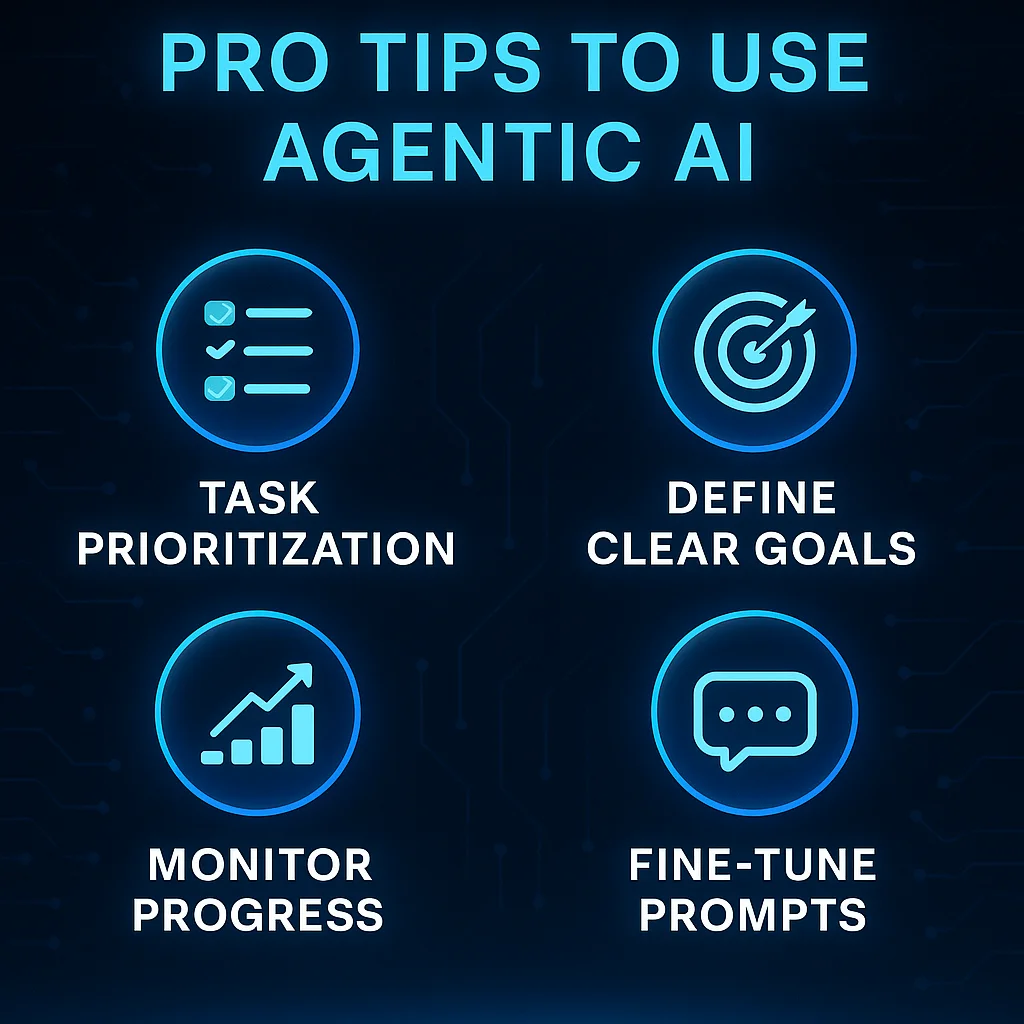
Here are proven methods used by professionals:
🔥 1. Give Clear, Outcome-Based Instructions
Wrong: “Write about AI.”
Right:
“Write a 1500-word SEO article on AI agents with examples, FAQs, and conclusion.”
🔥 2. Use Multi-Step Goals
Tell the agent to do a chain of tasks, not just one.
🔥 3. Enable Tool Usage (Browser, API, File)
Agents become 10x smarter when they can:
- Browse
- Fetch data
- Write files
- Execute code
🔥 4. Use Feedback Loops
After output, always say:
- “Make it more professional.”
- “Add more technical examples.”
- “Improve readability.”
This improves results drastically.
🔥 5. Use Multiple Agents Working Together
One for research → one for writing → one for editing.
CrewAI and AutoGen allow multi-agent teams.
SECTION 6 — Hidden Features Most People Don’t Know
✔ Auto debugging
✔ Automatic file generation
✔ Error correction
✔ Industry report extraction
✔ Autonomous long-running tasks
✔ API access
✔ Multi-file analysis
✔ Task memory
✔ Adaptive learning
These turn basic AI → full digital employee.
⭐ PART 3 — Best Agentic AI Tools of 2025, Deep Technical Breakdown, Features, Workflows & Comparisons
⭐ SECTION 1 — The Best Agentic AI Tools of 2025 (Full Breakdown)
Below are the top autonomous AI agents, ranked by capability, reliability, and real-world performance.
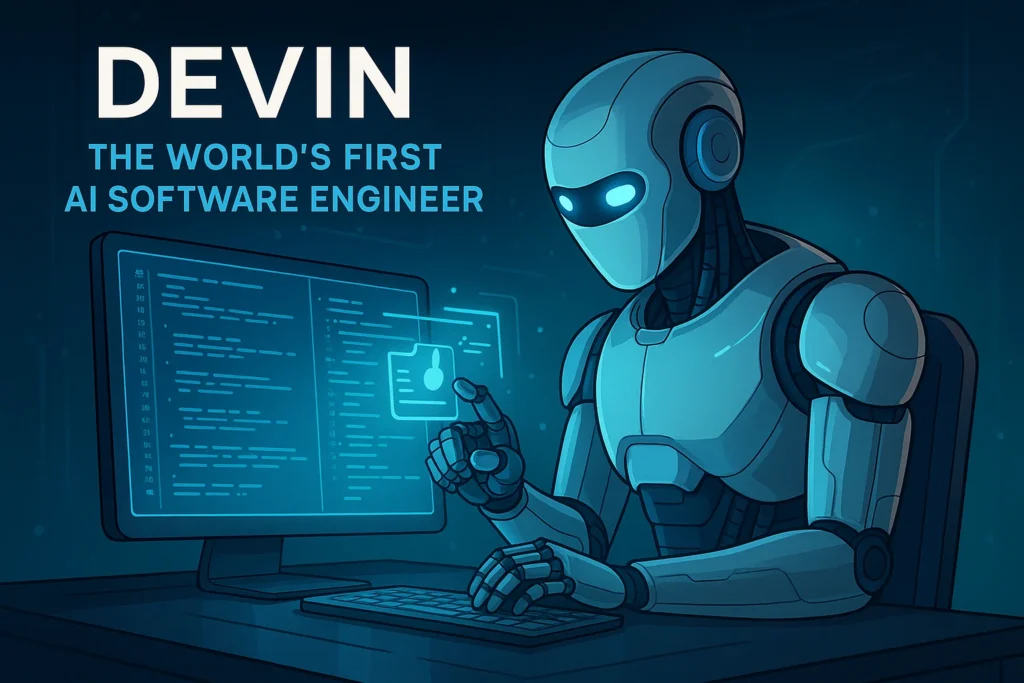
1️⃣ Devin (The World’s First AI Software Engineer)
Category: Developer Agent
Made by: Cognition Labs
Strength: Can build entire software end-to-end
Devin is the most advanced engineering agent ever created.
It can:
- Build apps
- Fix bugs
- Write complete codebases
- Run code in real environment
- Connect to APIs
- Deploy apps
- Manage GitHub repositories
- Self-debug
- Learn from mistakes
🔥 Example Tasks Devin Can Do:
✔ Build a full-stack website
✔ Create machine learning models
✔ Fix JavaScript/Python errors
✔ Write tests and run them
✔ Deploy to cloud platforms
✔ Generate documentation automatically
Why Devin Is a Breakthrough
Unlike ChatGPT, Devin operates like a real developer:
- It uses a real Linux OS
- It has a real file system
- It can open terminals
- It can browse the internet
- It edits code live
This makes Devin the first true AI employee.
2️⃣ AutoGPT (The Original Open-Source Agent)
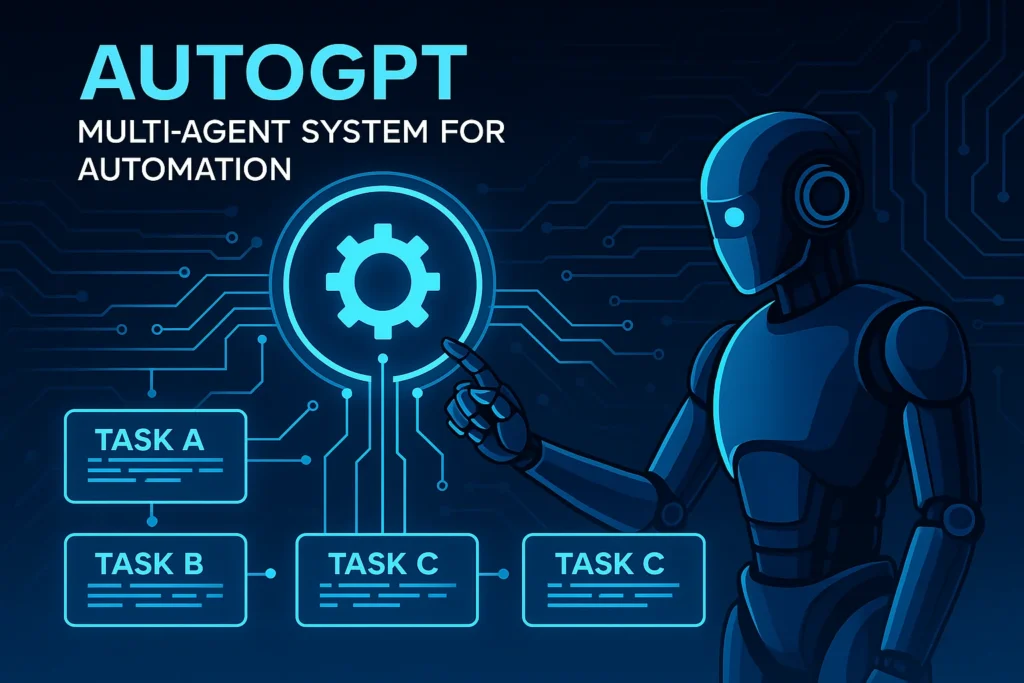
Category: Multi-Agent System
Strength: Flexible automation for any workflow
AutoGPT was the first popular agent in 2023, but in 2025, it has fully evolved.
Now AutoGPT:
- Supports multiple AI models
- Automates business tasks
- Runs long tasks independently
- Connects to third-party apps
- Uses plugins & tools
- Works as a multi-agent team
What AutoGPT Is Best For
✔ Business automation
✔ Market research
✔ Lead generation
✔ Website testing
✔ Document creation
✔ Data scraping
Why AutoGPT Is Important
It is one of the only systems that run autonomous tasks for hours without stopping.
3️⃣ Rewoork (Next-Gen Workflow Automation Agent)
Category: Automation Agent
Strength: End-to-end workflow automation for creators & businesses
Rewoork is designed to replace:
- Zapier
- Make.com
- Notion templates
- Social media scheduling tools
Rewoork can do:
- Content creation
- Scheduling
- Research
- Posting
- Email automation
- File organizing
This makes it the perfect tool for creators & solo entrepreneurs.
4️⃣ CrewAI (Multi-Agent Teams Working Together)
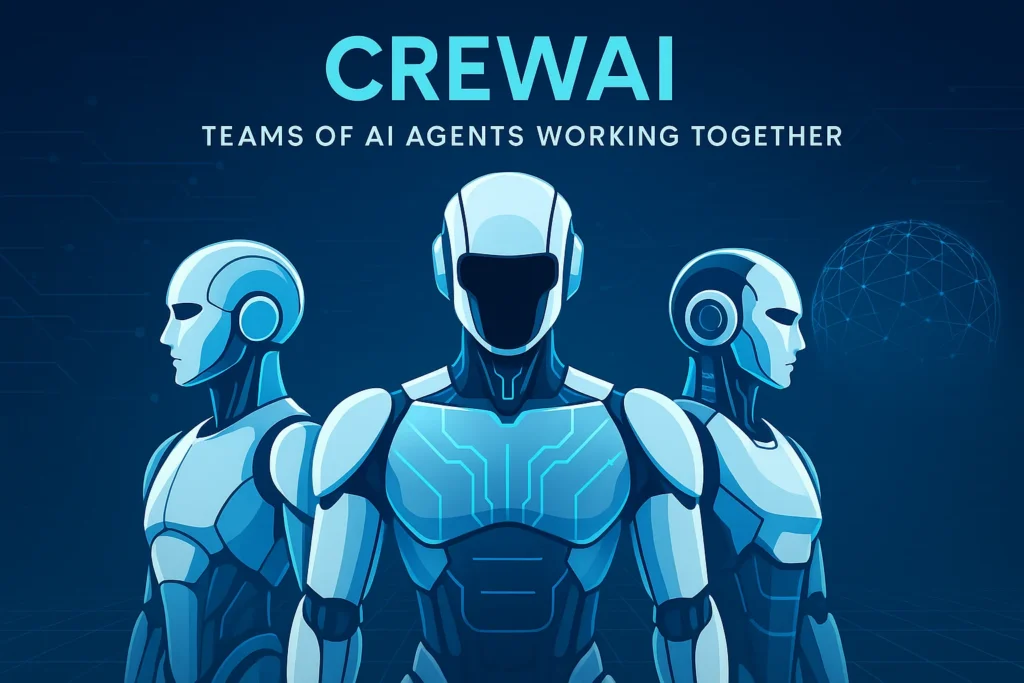
Category: Multi-Agent Collaboration
Strength: Multiple AI agents working like employees
CrewAI is designed for team-based AI workflows:
Example Multi-Agent Team:
- Research Agent
- Writing Agent
- Editor Agent
- SEO Agent
- Fact-check Agent
Capabilities:
✔ Each agent has a specialty
✔ They collaborate like coworkers
✔ They review each other’s work
✔ Produces extremely accurate output
Perfect for:
- Large reports
- Complex coding
- Multi-step business tasks
- Agencies
5️⃣ ChatGPT Autonomous Mode (OpenAI Agents)
Category: General Purpose Agent
Strength: Tools + Memory + Multi-step reasoning
OpenAI’s autonomous mode transforms ChatGPT into:
- A planner
- A researcher
- A coder
- A file creator
- A workflow engine
You can tell it:
“Create a landing page, write copy, design layout, export assets, and give me the full zip file.”
ChatGPT will do everything.
Key Features:
✔ Browser tool
✔ Python tool
✔ File system
✔ Image generation
✔ Document export
✔ Long-term memory
6️⃣ Google Agentic Workspace Tools
Category: Productivity Agents
Strength: Document, email & workplace automation
Google’s new Workspace AI can:
- Write & summarize emails
- Generate full presentations
- Extract insights from PDFs
- Manage spreadsheets
- Automate meetings
- Translate documents
- Auto-file responses
Great for corporate employees.
7️⃣ Perplexity AI Agents
Category: Research Agents
Strength: Live browsing + citations + deep search
Perplexity Agents perform:
- Web research
- Real-time data extraction
- Long-form report creation
- Multi-step research workflows
The best agent for:
✔ Students
✔ Researchers
✔ Analysts
✔ Journalists
8️⃣ LangChain Agents
Category: Developer Build-your-own Agent
Strength: Customize your own autonomous systems
Great for engineers building:
- Custom workflows
- Internal automation
- Business-level agents
⭐ SECTION 2 — Agentic AI Tools Comparison (2025)
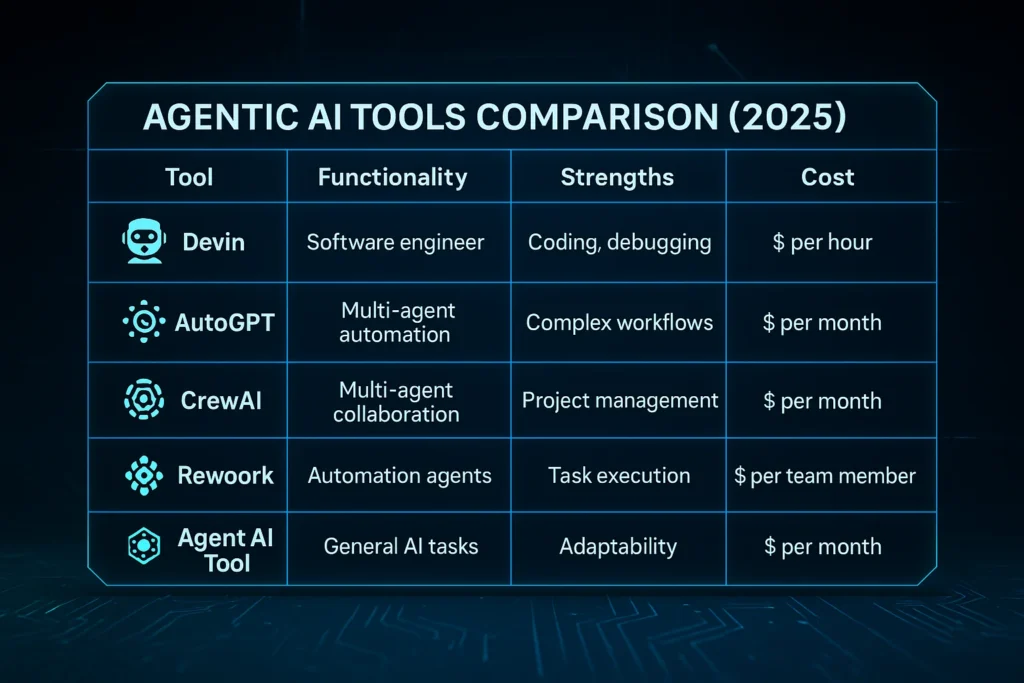
Let’s compare the major players:
| Tool | Best For | Strength | Weakness |
|---|---|---|---|
| Devin | Developers | Full coding autonomy | Expensive & advanced |
| AutoGPT | Automation | Unlimited workflows | Needs setup |
| Rewoork | Creators, businesses | Simple automation | Limited coding |
| CrewAI | Agencies | Multi-agent teams | Setup required |
| ChatGPT Autonomous | Everyone | Very easy to use | Paid features |
| Perplexity Agents | Research | Real-time accurate data | Not for coding |
| Google Workspace | Workplaces | Docs & Email automation | Limited logic |
| LangChain Agents | Developers | Custom agents | Requires programming |
⭐ SECTION 3 — Technical Architecture Breakdown
Agentic AI tools have advanced internal systems.
Here’s how they operate:
🔧 1. Planner Module
This converts your high-level goal into tasks.
🔧 2. Executor Module
Executes each task using:
- Browser
- Code
- APIs
- Tools
- Scripts
🔧 3. Evaluator Module
Checks accuracy and corrects errors.
🔧 4. Memory Module
Stores task history.
🔧 5. Tool Calling System
Allows agents to:
- Run Python
- Generate images
- Create files
- Execute shell commands
- Browse websites
🔧 6. Self-Reflection Module
The agent “thinks” about its previous steps and improves.
This is what gives agents autonomy.
⭐ SECTION 4 — Real Agent Workflows (Insane Examples)
Here are real workflows agents completed:
💻 Example 1: Building a Website Automatically
Agent actions:
- Creates frontend
- Writes backend
- Adds API
- Adds authentication
- Fixes errors
- Deploys site
📊 Example 2: Creating a 20-page Market Report
Agent actions:
- Browses internet
- Collects data
- Analyzes competition
- Writes full report
- Formats sections
- Exports PDF
📱 Example 3: Posting 30 Social Media Posts
Agent actions:
- Generates content
- Designs images
- Writes captions
- Schedules posts
⭐ SECTION 5 — Which Tool Should You Choose? (Based on Your Role)
✔ Developer → Devin / Cursor
✔ Business Owner → Rewoork / AutoGPT
✔ Content Creator → ChatGPT Autonomous / Rewoork
✔ Researcher → Perplexity Agents
✔ Student → ChatGPT / Google Agent Workspace
✔ Agency → CrewAI
⭐ PART 4 — Ethical Implications, Data Privacy Risks, Bias Issues, Job Displacement, and the Future of Agentic AI (2030 Vision)
⭐ SECTION 1 — Ethical Implications of Agentic AI
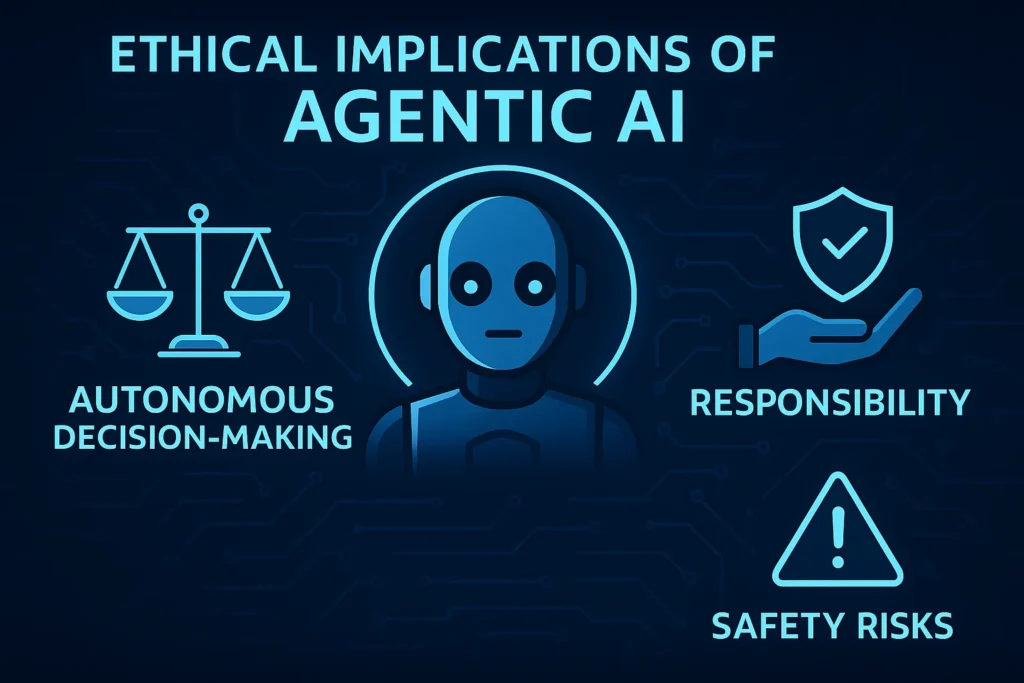
Agentic AI is fundamentally different from traditional AI because it does not wait for commands — it:
- Plans
- Executes
- Self-corrects
- Makes decisions
This autonomy raises major ethical questions.
⚖️ 1.1 – Who Is Responsible for an AI Agent’s Actions?
If an AI agent:
- Sends a wrong email
- Makes a wrong financial decision
- Executes harmful code
- Publishes inaccurate content
- Leaks a private file
Who is responsible?
- The user?
- The developer?
- The company?
- The AI agent itself?
There is no clear answer.
This is why governments are now creating AI Responsibility Laws.
⚖️ 1.2 – AI Agents Making Decisions Without Human Approval
Imagine an AI agent:
- Cancelling a meeting
- Writing a contract
- Sending money
- Hiring or rejecting employees
- Running automated investments
Without asking you.
Autonomy is powerful but also dangerous.
⚖️ 1.3 – Ethical Dilemmas in AI Decision-Making
AI agents don’t understand:
- Human emotions
- Moral context
- Cultural sensitivity
- Social consequences
Even the best agents may make decisions that are:
- Technically correct
- But ethically wrong
This creates a complex ethical landscape.
⭐ SECTION 2 — Data Privacy Concerns (Major Risk)
Agentic AI tools handle massive amounts of user data.
They process:
- Files
- Personal messages
- Emails
- Documents
- Browser data
- Credentials
- API keys
- Business plans
This creates huge privacy vulnerabilities.
🔐 2.1 – AI Agents Need Access to Your Systems
For autonomy, AI agents require:
- System access
- File access
- Tool usage
- App integration
- API keys
- Workspace permissions
If misconfigured, agents can:
- Read private files
- Delete documents
- Access confidential data
- Share information unintentionally
🔐 2.2 – Cloud-Based AI = Your Data Lives On Servers
Most Agentic AI tools operate on cloud servers.
This means:
- Your data leaves your device
- Gets stored temporarily
- Gets processed externally
- Might be logged
Even if companies promise security, no system is 100% risk-free.
🔐 2.3 – Risk of Data Leakage from Agents
An AI agent could accidentally:
- Reveal private information
- Enter a feedback loop
- Publish sensitive details
- Add private content into reports
- Learn from personal data
This is why businesses must adopt strict AI governance.
⭐ SECTION 3 — Bias in Agentic AI Systems
Bias is a major challenge in autonomous systems.
Why?
Because agents depend on:
- Training data
- Internet sources
- Search results
- Models with built-in biases
🎭 3.1 – Bias in Decision-Making
Example:
If an AI agent recommends:
- “Best candidates for a job”
- “Best businesses to invest in”
- “Best medical solutions”
It may reflect:
- Racial bias
- Gender bias
- Cultural bias
- Economic bias
This can create real-world harm.
🎭 3.2 – Bias in Research & Content
Agents may:
- Prioritize western sources
- Ignore minority voices
- Promote biased historical content
- Produce one-sided arguments
Autonomous agents amplify existing biases because
they act automatically without human review.
🎭 3.3 – Reinforcement of Algorithmic Loops
If an AI agent repeatedly relies on the same biased sources, it creates:
- Echo chambers
- Repeated errors
- Misleading conclusions
This is dangerous when AI systems are used in:
- Healthcare
- Finance
- Education
- Government
- Hiring
⭐ SECTION 4 — Job Displacement: Who Is at Risk?
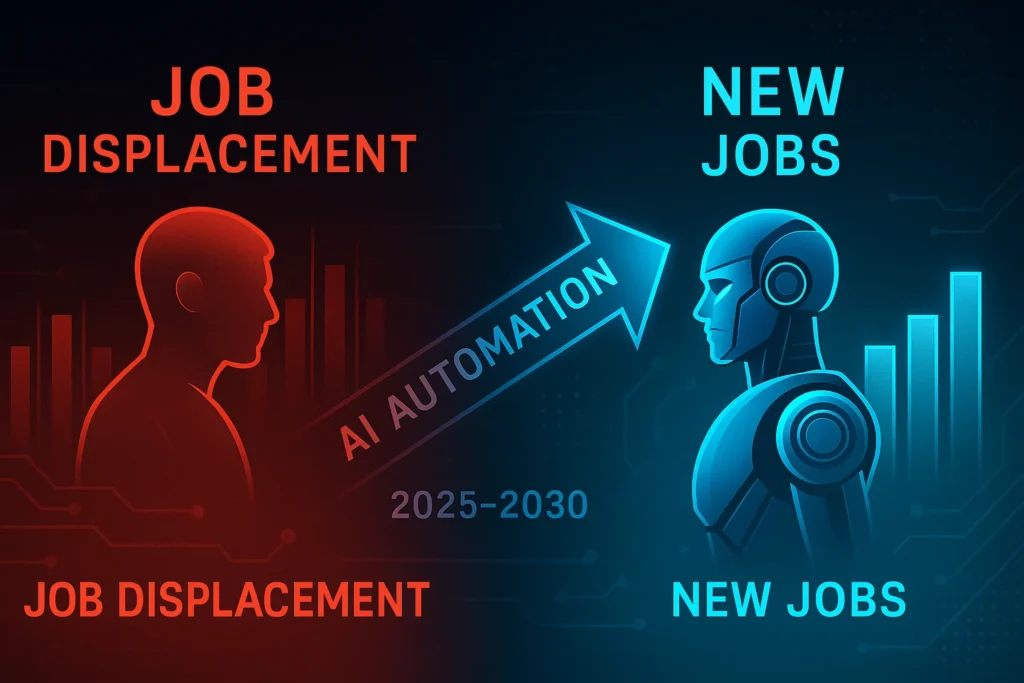
Agentic AI Tools are not like normal AI assistants.
They don’t just help people…
They replace entire workflows.
This creates inevitable job displacement.
🛑 4.1 – Jobs at High Risk
✔ Data entry
✔ Basic coding
✔ Graphic design
✔ Copywriting
✔ Virtual assistance
✔ Admin work
✔ Scheduling
✔ Social media posting
✔ Research assistants
✔ Testing & QA
✔ Market research teams
These jobs involve repetitive workflows —
and Agentic AI automates them end-to-end.
🟧 4.2 – Jobs at Medium Risk
✔ Customer support
✔ Sales
✔ Marketing
✔ Basic video editing
✔ Office management
✔ Project management
AI agents can perform 60–70% of these tasks.
🟩 4.3 – Jobs at Low Risk
✔ Doctors
✔ Senior developers
✔ Strategists
✔ Psychologists
✔ Leadership roles
✔ Human relationship roles
✔ Skilled labor
These require judgment, empathy, creativity & real-world experience —
AI cannot replace them fully.
🟦 4.4 – New Jobs That Will Be Created
AI will also create new roles:
✔ AI Agent Supervisor
✔ AI Workflow Designer
✔ AI Prompt Engineer
✔ AI Integration Specialist
✔ AI Compliance Officer
✔ Autonomous System Manager
✔ Multi-Agent Operator
✔ AI Strategy Consultant
This is the new digital workforce.
⭐ SECTION 5 — Social Impact of Agentic AI
Autonomous AI doesn’t just change workflows —
it changes society.
🌍 5.1 – Shift in Human Productivity
Humans will:
- Work less
- Create faster
- Build smarter
- Focus on strategy
- Leave the execution to AI
This is the biggest productivity revolution in history.
🌍 5.2 – Inequality Between AI Users vs Non-Users
People who adopt Agentic AI will grow 5–10x faster.
People who avoid it may be replaced.
This creates AI inequality.
🌍 5.3 – Over-Reliance on AI Systems
As agents handle:
- Research
- Thinking
- Decision making
- Automation
Humans may lose:
- Critical thinking
- Problem-solving skills
- Deep learning habits
We must stay balanced.
⭐ SECTION 6 — Regulation & Governance: What the Future Needs
Governments are now drafting laws to regulate:
- AI autonomy
- AI responsibility
- Data protection
- Ethical decision-making
- Bias control
- Workplace automation
Expect major laws by 2026–2027.
⭐ SECTION 7 — The Future of Agentic AI (2030 Vision)
Here’s what autonomous AI will look like by 2030:
🚀 1. Fully Autonomous Digital Employees
AI agents will:
- Manage calendars
- Run meetings
- Handle customers
- Write reports
- Build apps
- Fix problems
Businesses will run on AI agencies.
🤖 2. Entire Companies Run by AI
AI will:
- Hire
- Fire
- Plan
- Execute
- Optimize
- Scale
Only 1–2 humans will supervise.
🧠 3. Multi-Agent Ecosystems
Teams of 20–100 AI agents working together will:
- Build apps
- Run stores
- Manage finances
- Perform logistics
💼 4. AI Will Become a Personal CEO
Your personal AI will:
- Manage your money
- Plan your goals
- Build your brand
- Create content
- Track habits
- Optimise your lifestyle
🌐 5. Human-AI Co-Creation Society
Humans will handle:
- Vision
- Creativity
- Emotions
- Leadership
AI will handle:
- Execution
- Automation
- Logic
- Data
This partnership is the future.
✅ Top 10 FAQs About Agentic AI Tools (2025 Edition)
1. What are Agentic AI tools?
Agentic AI tools are advanced autonomous systems that can plan, execute, and complete tasks on their own without constant human guidance. Unlike traditional AI that only responds to prompts, Agentic AI understands goals, creates step-by-step plans, uses tools (browser, code, files), and delivers complete results like a digital employee. Examples include Devin, AutoGPT, CrewAI, and Rewoork.
2. How do autonomous AI agents work?
Autonomous AI agents use a combination of:
- Reasoning models (like GPT-4o or Claude 3)
- Tool usage (coding, browsing, APIs)
- Memory systems
- Planning modules
- Self-correction loops
to complete tasks end-to-end. They can research, write, code, analyze, generate files, and execute workflows without human supervision.
3. What is the main difference between Agentic AI and normal AI?
Normal AI responds to individual prompts.
Agentic AI understands long-term goals and takes actions autonomously.
Normal AI needs instructions for every step.
Agentic AI creates its own steps, makes decisions, corrects errors, and finishes tasks independently.
This makes Agentic AI far more powerful for automation, productivity, and business use.
4. What can Agentic AI tools do in real life?
Agentic AI tools can:
- Build websites and apps
- Write and debug code
- Create reports
- Research topics automatically
- Write blogs and scripts
- Summarize PDFs
- Manage email and calendars
- Create social media content
- Run marketing workflows
- Analyze competitors
- Schedule tasks
These agents can automate 30–80% of daily digital work.
5. Are Agentic AI tools safe to use?
Mostly yes, but it depends on how they are configured.
Agents require access to sensitive data like files, APIs, browser sessions, and email systems.
Using trusted platforms (OpenAI, Google, Perplexity, Cognition Labs) is safer.
Users should avoid giving unnecessary permissions and must follow AI safety guidelines and privacy settings for secure usage.
6. Can Agentic AI tools replace jobs?
Yes, some jobs are at high risk of automation, especially those involving repetitive tasks.
These include:
- Data entry
- Basic coding
- Social media posting
- Research assistance
- Administrative work
- Report writing
However, AI also creates new roles: - AI Agent Supervisor
- AI Workflow Designer
- AI Automation Engineer
- AI Compliance Manager
The workforce will shift—not vanish.
7. What are the biggest risks of Agentic AI?
Major risks include:
- Data privacy issues (agents access personal files)
- Unintended actions (agents making decisions without approval)
- Bias in AI decision-making
- Error amplification
- Over-reliance on agents
- Job displacement
To minimize risks, always use agents with human review and strict access control.
8. Which Agentic AI tool is best for beginners?
For beginners, the best agentic tools are:
- ChatGPT Autonomous Mode – easiest and most reliable
- Rewoork – best for creators and business owners
- Perplexity Agents – best for research
- Google Workspace AI – perfect for office tasks
These tools require no technical setup and work instantly.
9. What is the future of Agentic AI by 2030?
By 2030, Agentic AI will evolve into:
- Fully autonomous digital employees
- Multi-agent teams working like human organizations
- AI-run businesses with minimal human supervision
- Real-time decision-making systems
- AI-powered automation across industries
Human roles will shift toward strategy, creativity, leadership, and emotion-driven decision-making, while AI handles execution.
10. How can I start using Agentic AI in my workflow?
Start with simple steps:
- Use ChatGPT or Rewoork for automation
- Give “goal-based prompts” instead of small tasks
- Connect tools like email, drive, or APIs
- Create repeatable workflows
- Let AI agents handle research, writing, scheduling, or coding
Within weeks, you can automate 50–70% of your digital workload using autonomous agents.
Your article helped me a lot, is there any more related content? Thanks!
Thanks for sharing. I read many of your blog posts, cool, your blog is very good.